25 MODE
1 ADJUSTMENT
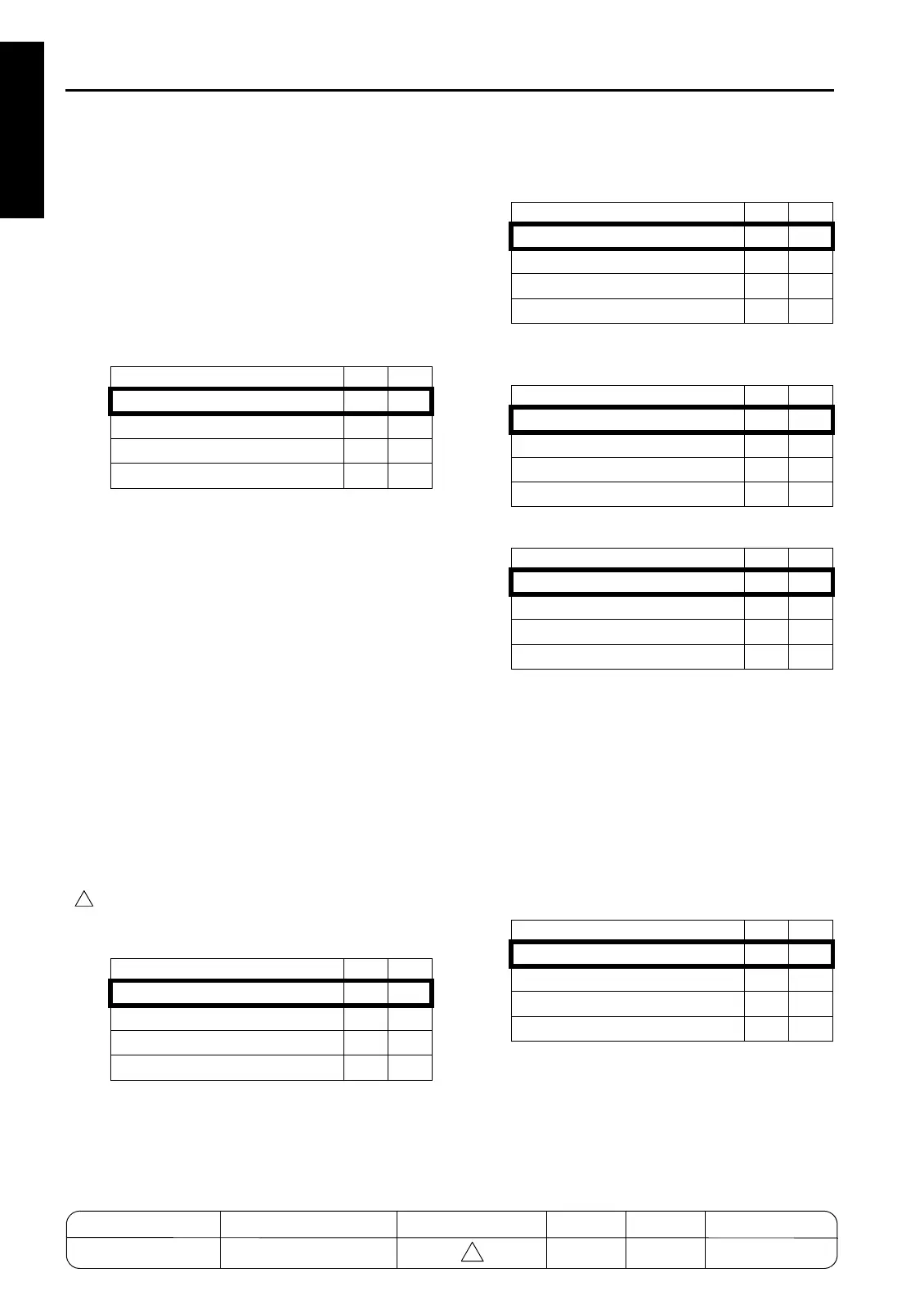
*31 Image density selection (toner density selection
of developer)
These bits set the toner density of developer by
changing toner supply threshold and developing
sleeve rotation speed with image density
unchanged.
Decrease toner density when the image is gray
background or toner is scattered. Increase toner
density when the image is unevenly transferred
or white spots occur.
Note: There are three DIP switches to change
the image density : 5-0/1 (toner concen-
tration threshold), 5-2/3 (lase PWM), and
23-2/3 (toner density of developer). The
priority of order of these adjustment are
as follows:
(1) Laser PWM
(2) Toner density of developer
(3) Toner concentration threshold
*32 Image's gray background control at power ON
If an image
'
s gray background problem occurs
while making about 100 copies after power ON
(the fixing temperature is 50
°
C or lower), set bits
0, 1, 3, 5, 6, and 7 of DIPSW27 to 1.
Note: When this setting is used, be sure to set
six bits to 1 all together. And never set bits
2 and 4 of DIPSW27 to 1.
7255/7272 models enable to set the control time
of DIPSW27-5/6 (turning-ON control of toner
recycle MC during drum/developer rotation).
*33 Maximum number of sheets with z-folding
(main tray)
*34 Maximum number of sheets with z-folding + sta-
pling
*35 Image density selection (laser PWM) for IP
*36 Countermeasure for memory overflow during IP
printing
When copier stops due to paper empty and so on
during large amount printing from IP without
reserved print, memory overflow will occur on
copier, and then time out will occur on PC. When
remaining capacity of E-RDH memory is
reached to the specified amount, the transmis-
sion speed from IP to E-RDH memory will be
delayed to gain time until memory overflow
occurs.
Mode 23-3 23-2
Standard toner density
00
Approx. 0.75% up
01
Approx. 0.75% down
10
Approx. 1.5% down
11
Mode 27-6 27-5
None
00
30 seconds
01
45 seconds
10
60 seconds
11
4
Mode 24-5 24-4
Up to 50 sheets
00
Up to 40 sheets
01
Up to 30 sheets
10
Up to 20 sheets
11
Mode 24-7 24-6
Up to 5 sheets
00
Up to 8 sheets
01
Up to 10 sheets
10
Up to 3 sheets
11
Mode 8-1 8-0
Normal (235)
00
Dark (255)
01
Lighter (175)
10
Lightest (150)
11
Mode 29-2 29-1
No cuuntermeasure
00
Remaining capacity 10%
01
Remaining capacity 20%
10
Remaining capacity 30%
11
1-20
MODEL MANUAL REVISED EDITION DATE PAGE METHOD
SERVICE MANUAL Dec. 2003
7155/7165/7255/7272
1-20 REPLACEMENT
4





 To Next Page