OTHER ADJUSTMENT
1 ADJUSTMENT
4
4
4
[45] FNS Adjusting the Tension of the
Upper Alignment Plate Drive Timing
Belt (FS-111)
1. Tool
• Screwdriver (Phillips)
2. Adjustment method
a. Preparation
b. Adjustment method (when some printed sheets
are skewed irregularly)
[46] FNS Adjusting the Stapling Position
(Flat Stapling) (FS-111)
1. Tool
• Screwdriver (Phillips)
•Scale
2. Adjustment method
a. Preparation
Step Operation
1
If the upper alignment plate drive belt
tensioner has been loosened as a result
of belt replacement or for some other
reason, adjust as described below.
Step Operation
1
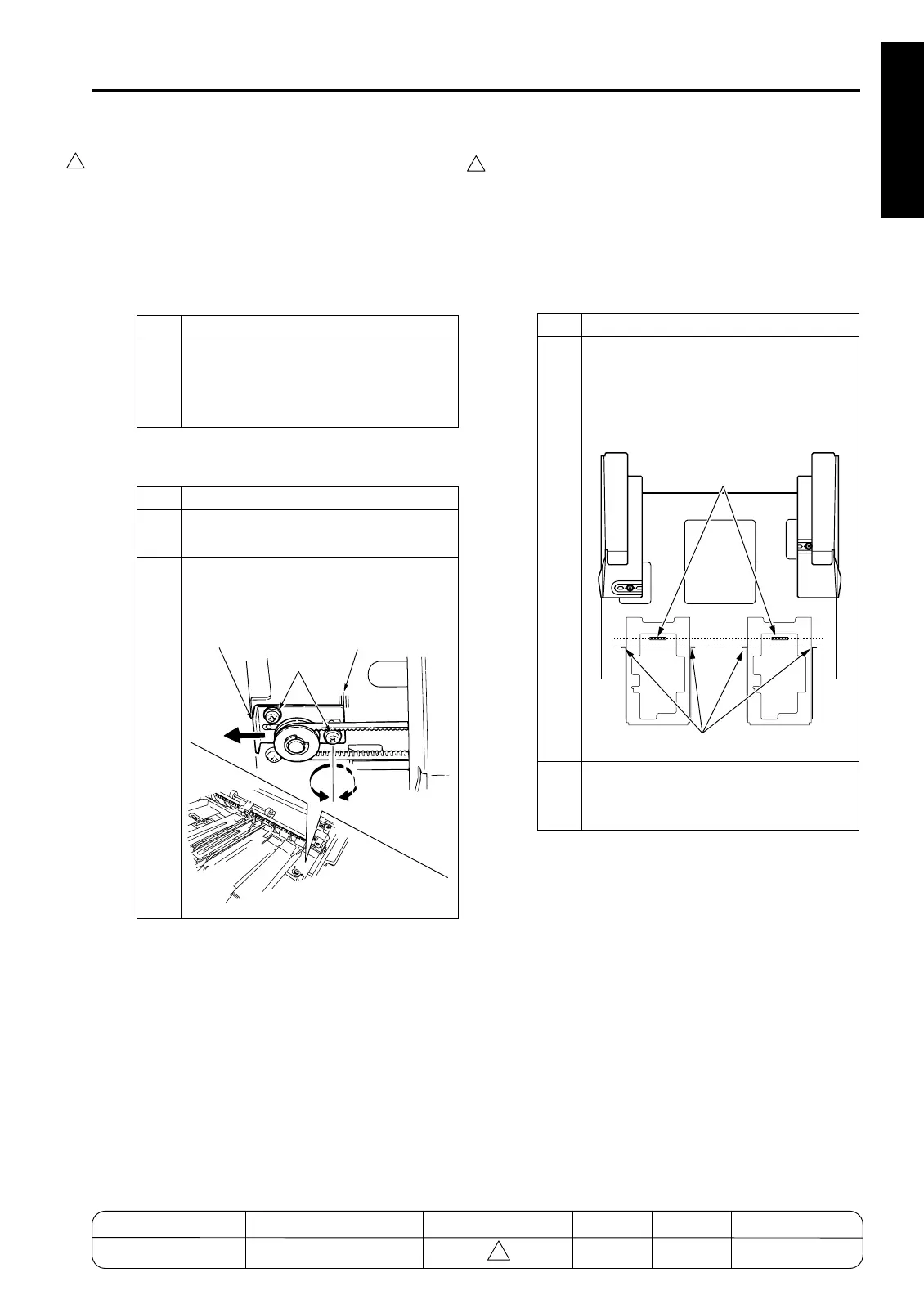
Loosen the 2 set screws (see illustra-
tion).
2
Move the belt tensioner so that the end
is aligned with the center mark on the
scale, and retighten the screws.
7272fs1045
Belt Tensioner
Screws
Scale
Step Operation
1
Check whether the virtual line running
between the stoppers is parallel to the
virtual line between the staplers.
This illustration is for FS-211. FS-111
has 4 flat-stapling stoppers.
2
If the lines are not parallel or if you need
to change the stapling position, carry out
adjustment as described below.
7272fs1046
Staple Positions
Flat-Stapling Stoppers
MODEL MANUAL REVISED EDITION DATE PAGE METHOD
SERVICE MANUAL Dec. 2003
7155/7165/7255/7272
1-149 ADDITION










 To Next Page