SCANNER SECTION
2-C-2
2 UNIT EXPLANATION
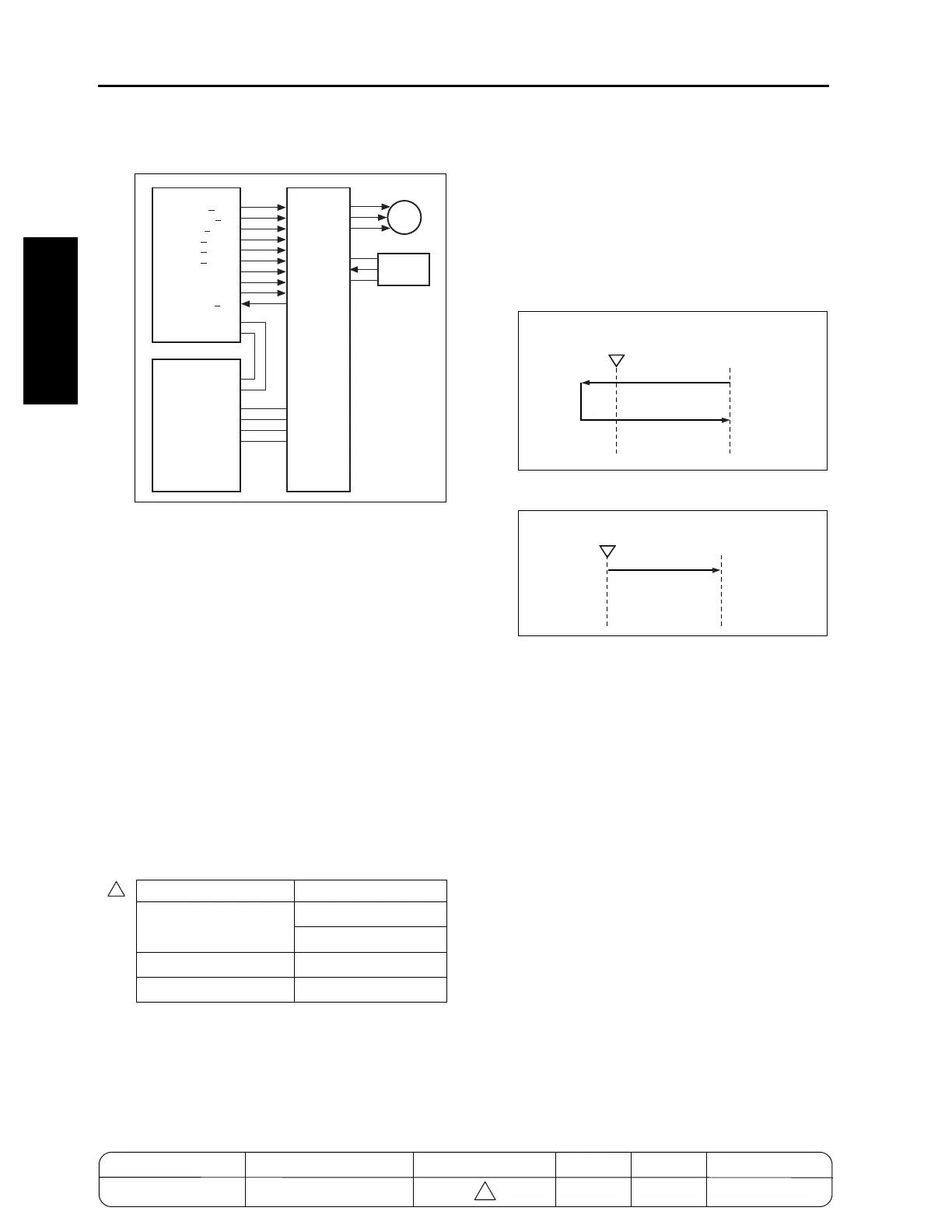
[3] M11 (Scanner) Control
M11 (scanner) is driven by SCDB (scanner drive
board) and is controlled by PRCB (printer control
board).
The related signal is PS61 (scanner HP).
1. Operation
a. Operation of M11 (scanner)
M11 (scanner) is a 3-phase stepping motor
driven by the 3-phase bipolar constant-current
drive method. The motor is turned ON/OFF by
supplying/stopping clock pulses.
The rotational speed, direction, and amount of
movement of M11 is determined by the incre-
ment of the driving step count. This count is reset
each time PS61 (scanner HP) is turned ON or
OFF by the exposure unit.
b. Movement speed of the exposure unit
Scanning speed
c. Exposure unit home position search
When SW2 (sub power switch) or the START
button is pressed, M11 (scanner) searches for
the home position of the exposure unit. How-
ever, this operation is performed in different
ways depending on whether PS61 (scanner HP)
is ON or OFF.
(1) When PS61 (scanner HP) is OFF
(2) When PS61 (scanner HP) is ON
d. Read with shading correction
Shading correction is performed in different
ways depending on whether SW2 (sub power) is
ON or the START button is ON. When shading
correction starts, the exposure unit is at the
home position and PS61 (scanner HP) is OFF.
(1) When SW2 (sub power) is ON
L1 (exposure lamp) turns ON. Next, M11 (scan-
ner) moves the exposure unit toward the paper
exit side. After being driven by the specified num-
ber of steps, M11 stops, thus reading the light
reflected by the white reference plate installed
underneath the glass stopper plate and perform-
ing the first white correction. Next, M11 moves
the exposure unit toward the paper exit side.
After being driven by the specified number of
steps, M11 performs the second white correc-
tion.
Then, L1 is turned OFF for black correction,
searching for the home position of the exposure
unit.
In each of the first and second shading correction
processes, the CCD 1 line data is read to com-
pare brightness levels between pixels. The
brighter data is used as white correction data.
Operation mode Movement speed
Scan (1:1) 320 mm/s (7155/7165)
357 mm/s (7255/7272)
Return 640 mm/s
Home position search 247 mm/s
PS61
SCDB
S.GND
SIG
5V
M11
U
V
W
PRCB
SCAN CLK
SCAN FR
SCAN MGN
SCAN CUR1
SCAN CUR2
SCAN CUR3
MODE1
MODE2
MODE3
SCANHP PS
DCPS
24V1
5V2
S.GND
P.GND
5V2
S.GND
PS61
Platen APS
read position
PS61
Platen APS
read position
4
MODEL MANUAL REVISED EDITION DATE PAGE METHOD
SERVICE MANUAL Dec. 2003
7155/7165/7255/7272
2-C-2 REPLACEMENT
4










 To Next Page