OTHER ADJUSTMENT
1 ADJUSTMENT
4
4
b. Adjustment
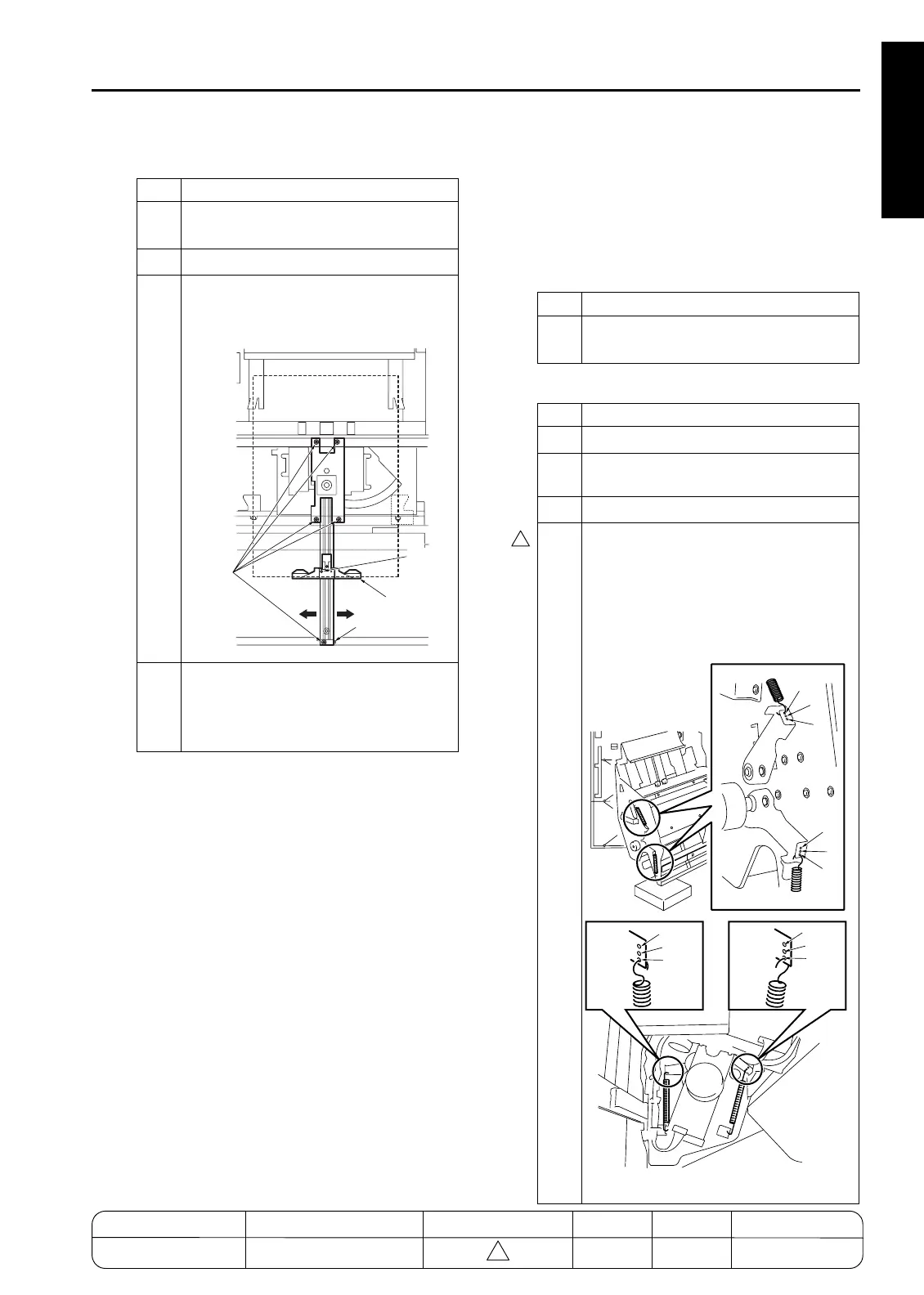
[23] FNS Adjusting the folding force
(FS-210)
1. Tool
• Flat-nose pliers
2. Adjustment method
a. Preparation
b. Adjustment
Step Operation
1
Open the front door and pull out the
stacker unit.
2
Take off the stapler unit cover.
3
Loosen the five screws securing the fold-
ing stopper and adjust it using the mark
as a guide.
4
After the adjustment, retighten the five
screws and execute stapling to check
that the amount of discrepancy is within
the specified limit.
Do not
Loosen
screw
Folding
stopper
Mark
Screws
Step Operation
1
If necessary, change the force and pres-
sure of the folding rollers.
Step Operation
1
Remove the rear cover.
2
Open the front cover and pull out the
stacker unit.
3
Remove the stacker unit cover.
4
Change the mounting places of the two
pressure springs for each of the front
and rear.
Caution: The four pressure springs
should be hooked on the hole
with the same character.
7272fs1049
A
A
B
B
C
C
A
A
B
B
C
C
Front view
Rear view
MODEL MANUAL REVISED EDITION DATE PAGE METHOD
SERVICE MANUAL Dec. 2003
7155/7165/7255/7272
1-125 REPLACEMENT










 To Next Page