IC-601 6-40
6.9 Scan Setting in Controller
6
6.9 Scan Setting in Controller
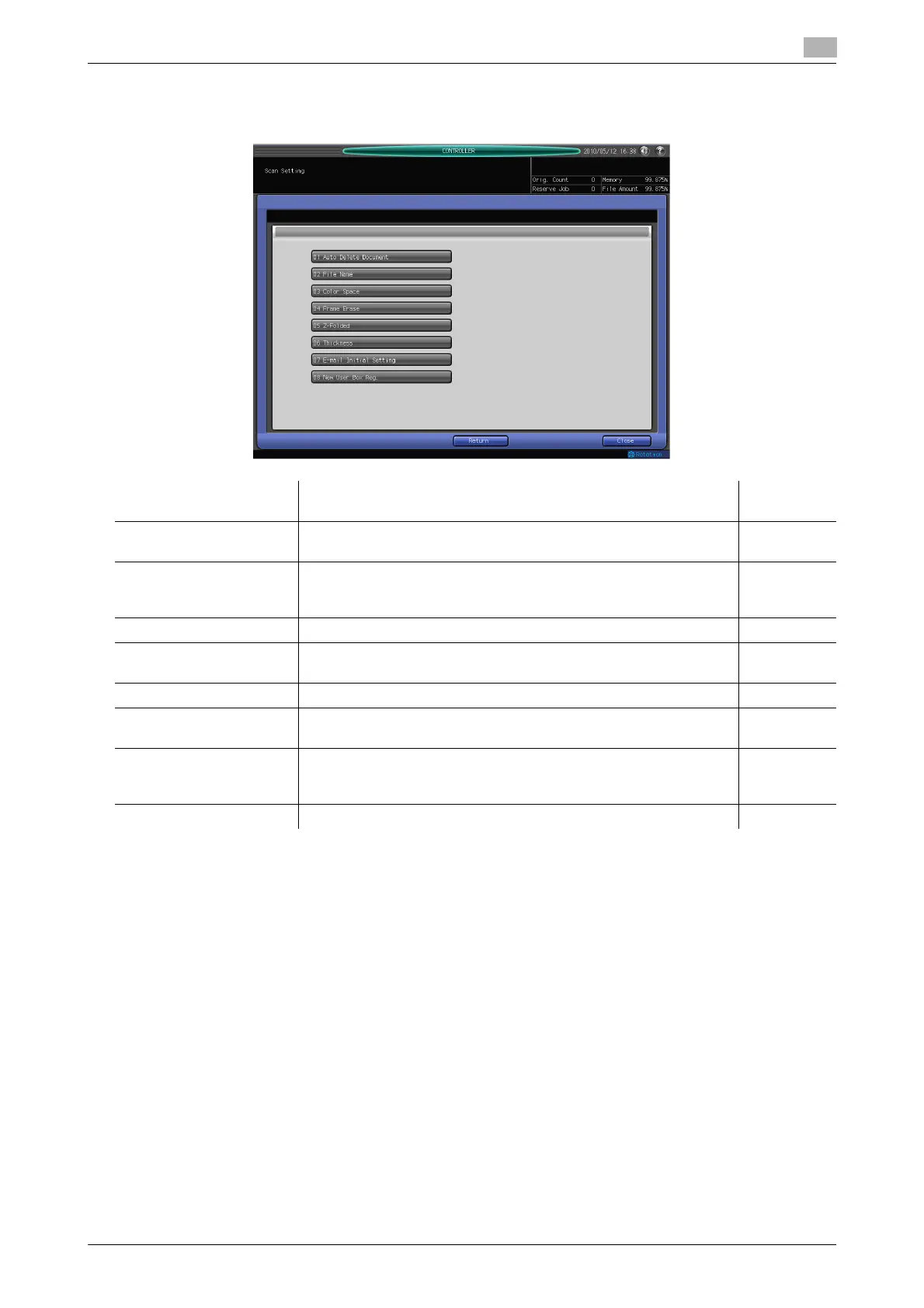
In [MACHINE] - [Controller] - [Scan Setting], you can configure the following functions.
Item Description Reference
page
Auto Delete Document You can set a time to delete the data stored in the user box automat-
ically.
p. 6-41
File Name You can set the string to add to the file name automatically. The file
name is generated in combination of the specified string, year,
month, day, hour, and minute, and sequence number.
p. 6-41
Color Space You can set a color space for scanning with the TWAIN driver. p. 6-42
Frame Erase You can use the frame erase to erase a black shadow generated
around the scan image when scanning with the TWAIN driver.
p. 6-42
Z-Folded You can set this to scan an Z-fold original with the TWAIN driver. p. 6-43
Thickness You can set thickness of an original for scanning with the TWAIN
driver.
p. 6-43
E-mail Initial Setting You can set initial settings for an E-mail. The set values will be used
as the initial values for [Title]/[Text] when sending scanned data via
E-mail.
p. 6-43
New User Box Reg. You can create a user box. p. 5-6













 To Next Page