IC-601 5-21
5.7 Changing/Deleting Registered Information
5
5.7 Changing/Deleting Registered Information
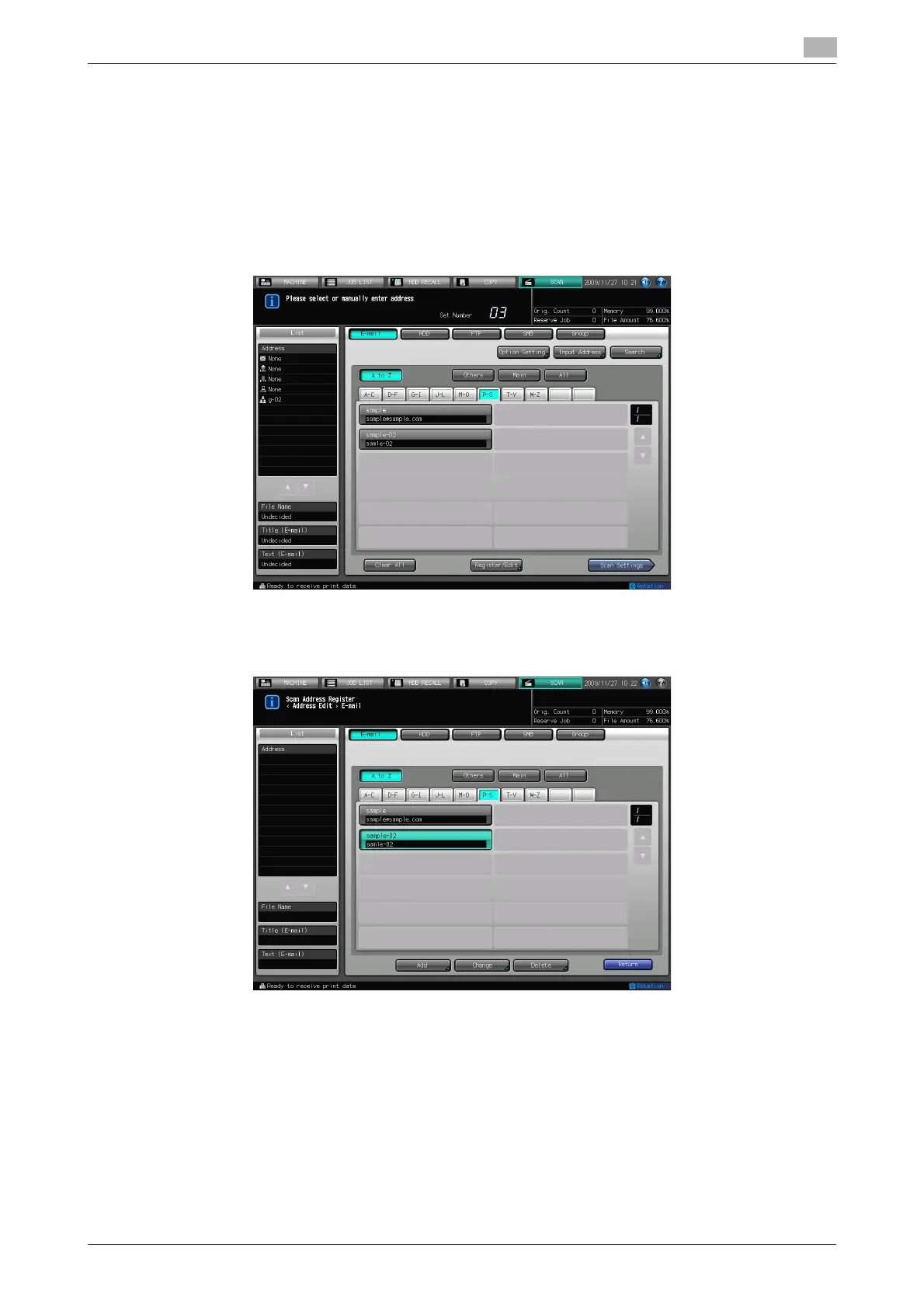
The registered address information can be changed or deleted in the following steps.
Changing the Registered Information
1 Press [SCAN] tab.
2 Press [E-mail], [HDD], [FTP], [SMB], or [Group] to display the address of which you want to change the
registered information.
3 Press [Register/Edit].
4 Select the address you want to change and press [Change].













 To Next Page