IC-601 4-2
4.1 Overview of the Network Scanner Features
4
4 About the Network Scanner Features
4.1 Overview of the Network Scanner Features
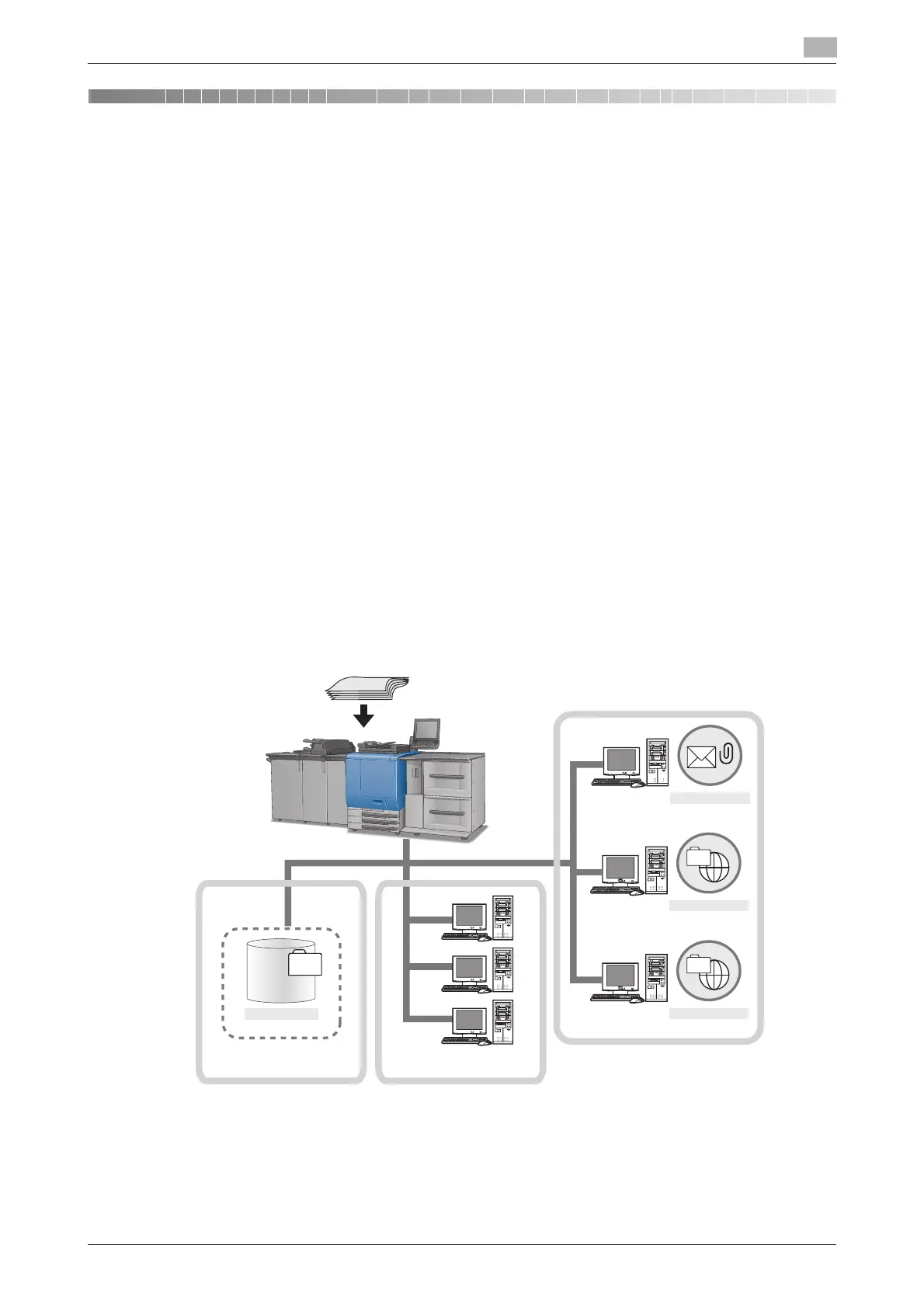
The Network Scanner features are operated in the [SCAN] tab. Data scanned by the Network Scanner fea-
tures can be transmitted to the E-Mail addresses, the hard disk, the FTP server, or the SMB server. The
scanned data stored on the hard disk can also be imported to the network-connected computers using the
TWAIN-compliant applications and the HDD TWAIN driver.
d Reference
Send by an E-Mail (p. 4-3)
Storing in Hard Disk (p. 4-4)
Sending to the FTP Server (p. 4-5)
Sending to the SMB Server (p. 4-7)
Sending to a Group (p. 4-9)
Sending Using Web Service (WS Scan) (p. 4-11)
Also, you can configure the density, zoom, scan size, resolution, quality, file type, etc. when scanning an im-
age.
d Reference
About the Scan Settings Screen (p. 6-34)
When the Enhanced Security Mode is ON, a job is unacquirable using applications compatible with TWAIN
and HDD TWAIN driver. For details, contact your administrator.
To use the copier as a network scanner, it needs to be connected to the network. For more information on
the network configuration, contact your network administrator.
Hard Disk
Controller Local area network
WS Scan
Internet
SMB
FTP
E-mail
E-mail server
FTP server
SMB server
Original













 To Next Page