IC-601 7-5
7.3 Scan Initial Setting
7
7.3 Scan Initial Setting
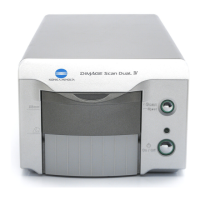
You can set the initial values for the Scan Setting screen in the Scan Initial Setting screen in the Utility Menu
screen.
Displaying the Scan Initial Setting Screen
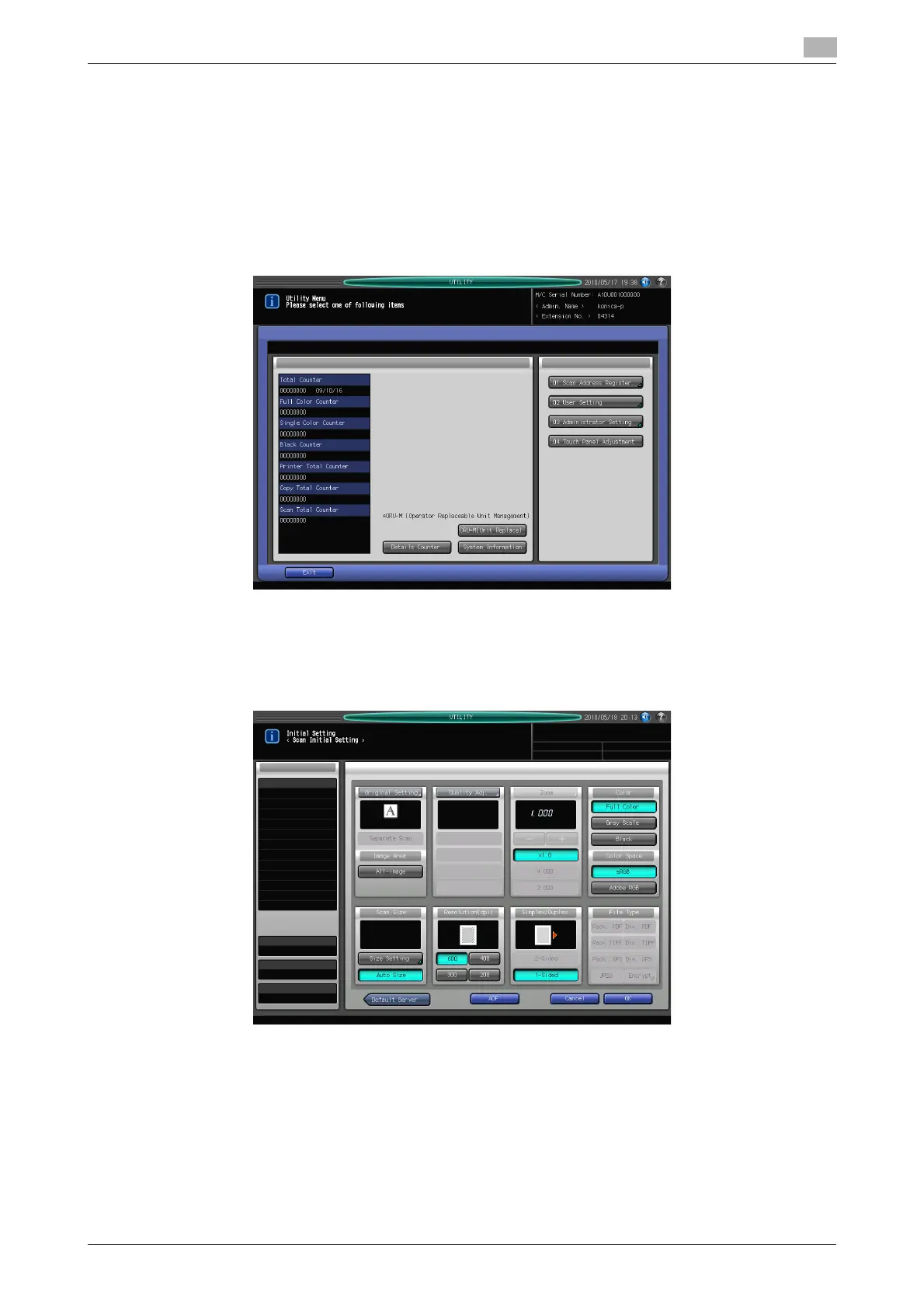
1 Open the Utility Menu screen by referring to page 7-2.
2 Press [02 User Setting].
3 Press [02 Initial Setting].
4 Press [02 Scan Initial Setting].
5 Set the initial values for the Scan Setting screen.
% Press [ADF] to enable the ADF mode in which you can specify [2-Sided] in the Scan Setting screen.
% You cannot set [Zoom] and [File Type].
% The default destination of the FTP/SMB server can be specified by pressing [Default Server].





 To Next Page