IC-601 5-6
5.3 Registering a User Box
5
5.3 Registering a User Box
Before storing scanned data in hard disk, you have to create a user box in the [MACHINE] screen and register
the box as the destination in the [Scan] tab - [HDD].
d Reference
Creating a User Box:page 5-6
Registering a User Box as Destination:page 5-10
5.3.1 Creating a User Box (Controller)
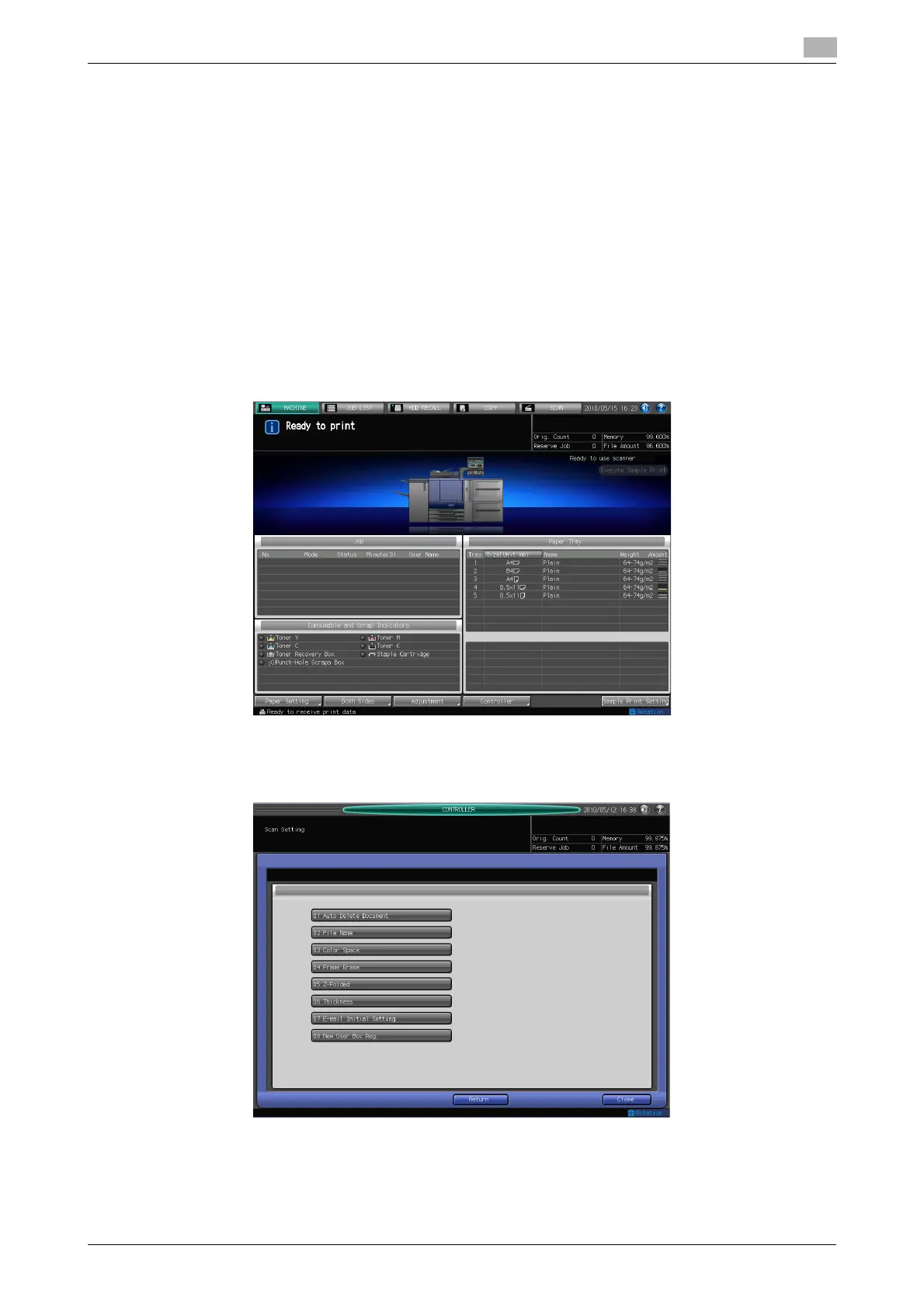
You can create a user box in [MACHINE] - [Controller] - [Scan Setting] - [New User Box Reg.].
To delete a user box, select [Administrator Setting] - [Controller] - [Scan Setting] - [User Box Setting]. For de-
tails, refer to User's Guide (POD Administrator's Reference).
1 Press [Controller] in [MACHINE].
2 Press [Scan Setting].
3 Press [New User Box Reg.].













 To Next Page