IC-601 6-4
6.2 Transmission to an E-mail Address
6
6.2 Transmission to an E-mail Address
When you send the scanned data as an attached file of an E-mail, necessary procedures depend on whether
the addresses are registered in advance or they are input manually.
d Reference
Refer to page 3-8 for the method of transmitting data to the address searched with the LDAP Search function.
Refer to the following pages.
When an E-Mail Address is Already Registered: page 6-4
When an E-Mail Address is Input Manually: page 6-8
When transmitting a message to the E-mail address, the setting of the Administrator mail address is required.
For details, refer to "Administrator registration" in the User's Guide (POD Administrator's Reference).
When an E-Mail Address is Already Registered
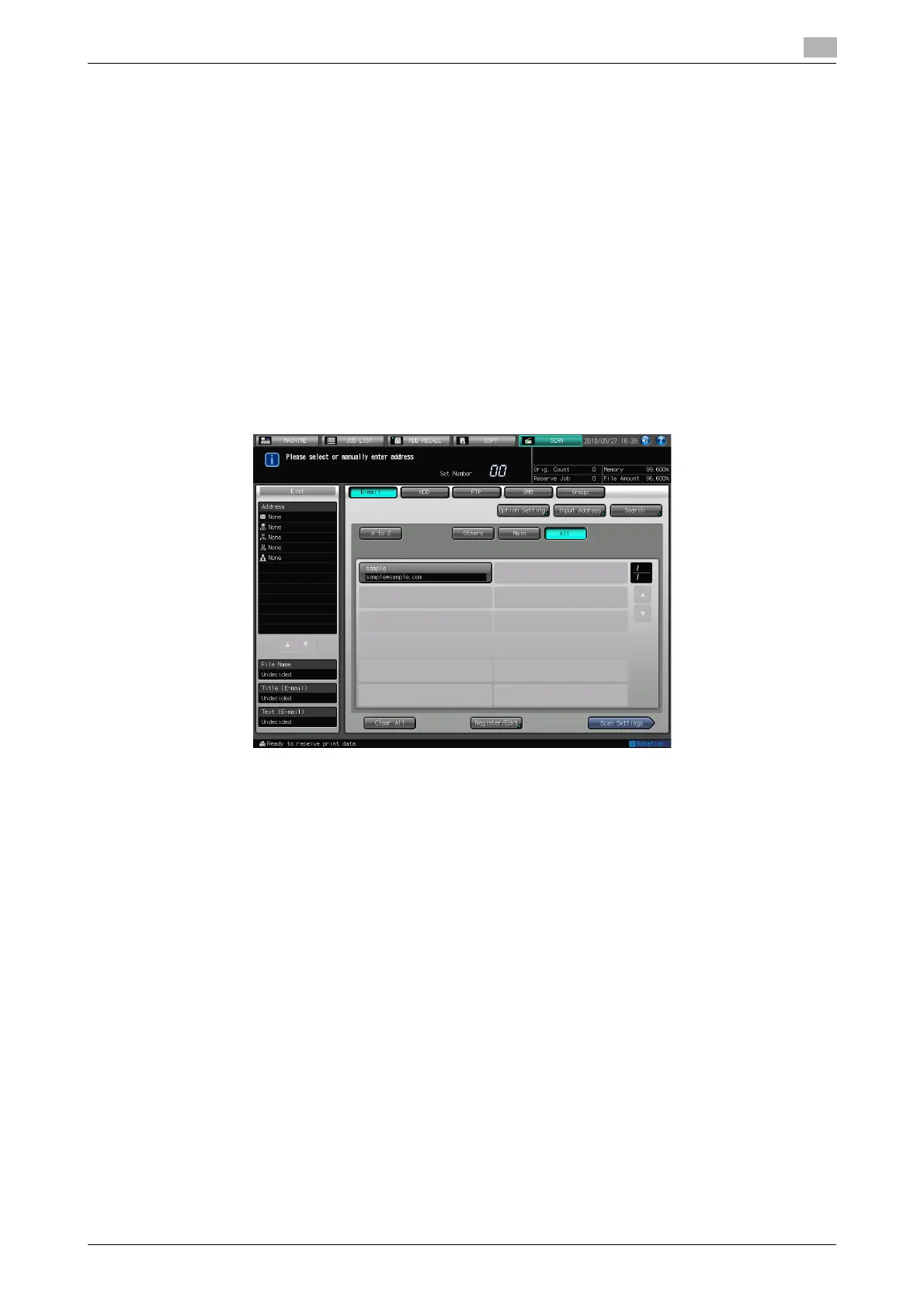
1 Press [SCAN].
2 Make sure that [E-mail] is selected.
% In the initial settings, the Select Addresses screen (E-mail) is displayed. The default destination tab
of the scan screen can be set at [Utility/Counter] - [User Setting] - [Scan Setting]. For details, refer
to page 7-6.
3 Press [Option Setting] to configure [Title Setting], [Text Setting], and [From Address Setting] for the E-
mail.
% If you don't set [Title Setting] and [Text Setting] in [Option Setting], the following is resulted in ac-
cordance with the setting in [E-mail Initial Setting]. Refer to page 6-43 for more detailed information
on [E-mail Initial Setting].
• If [E-mail Initial Setting] is enabled, it uses the initial values for the title and text.
• If [E-mail Initial Setting] is disabled, it leaves the title and text in blank.













 To Next Page