IC-601 7-6
7.4 Scan Setting
7
7.4 Scan Setting
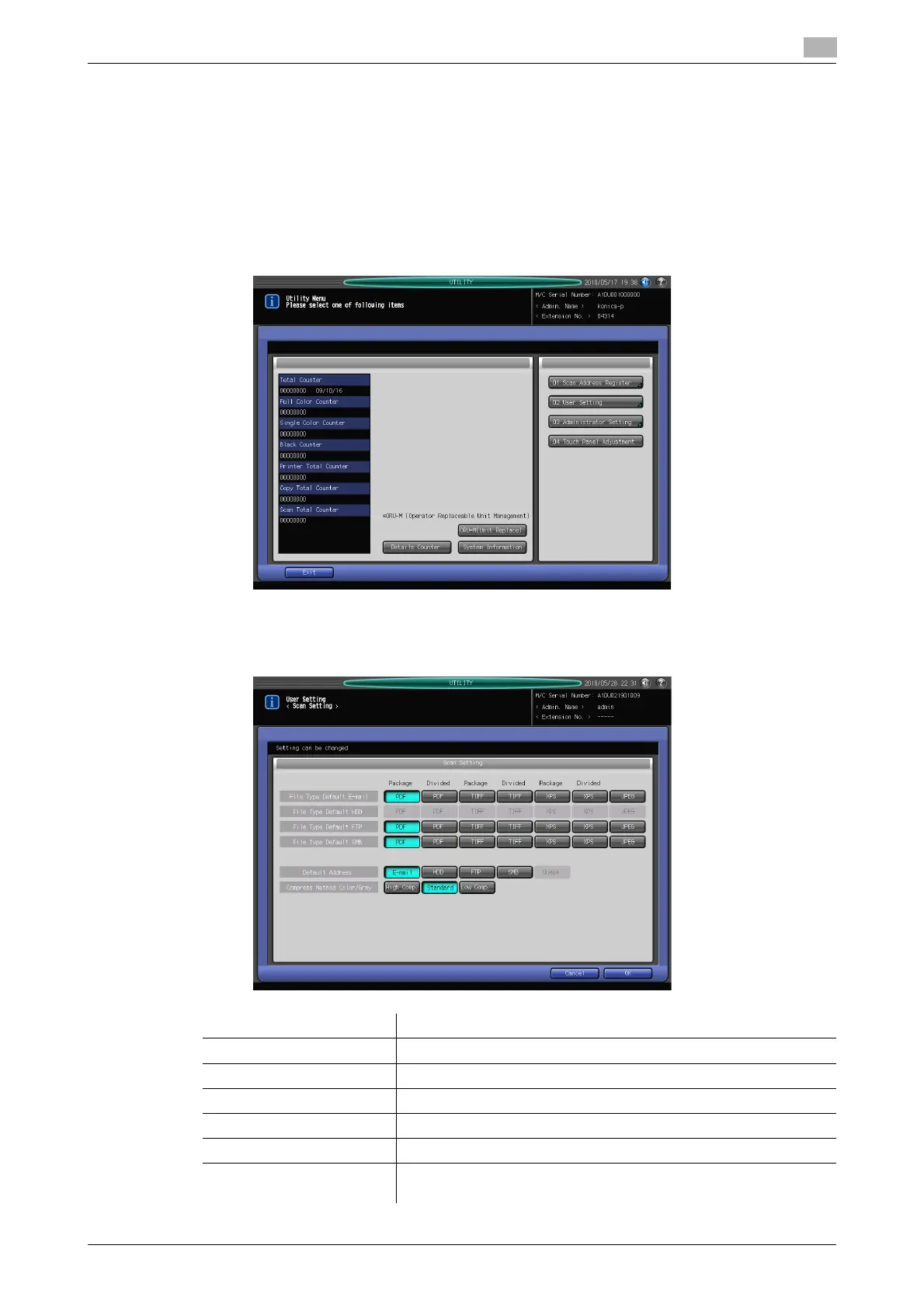
You can set the initial values for the address and file type in the Scan Setting screen in the Utility Menu
screen.
Displaying the Scan Setting Screen
1 Open the Utility Menu screen by referring to page 7-2.
2 Press [02 User Setting].
3 Press [05 Scan Setting].
4 Set the initial values for File Type, Default Address, and Compress method in the Scan Setting screen.
Item Description
[File Type Default E-mail] Set the initial value for the file type for Scan to E-mail.
[File Type Default HDD] This function is disabled when IC-601 is equipped.
[File Type Default FTP] Set the initial value for the file type for Scan to FTP.
[File Type Default SMB] Set the initial value for the file type for Scan to SMB.
[Default Address] Set the default tab displayed as the scan screen.
[Compress Method
Color/Gray]
Set the compression method for scanning in color or gray scale.













 To Next Page