IC-601 6-37
6.8 About the Scan Settings Screen
6
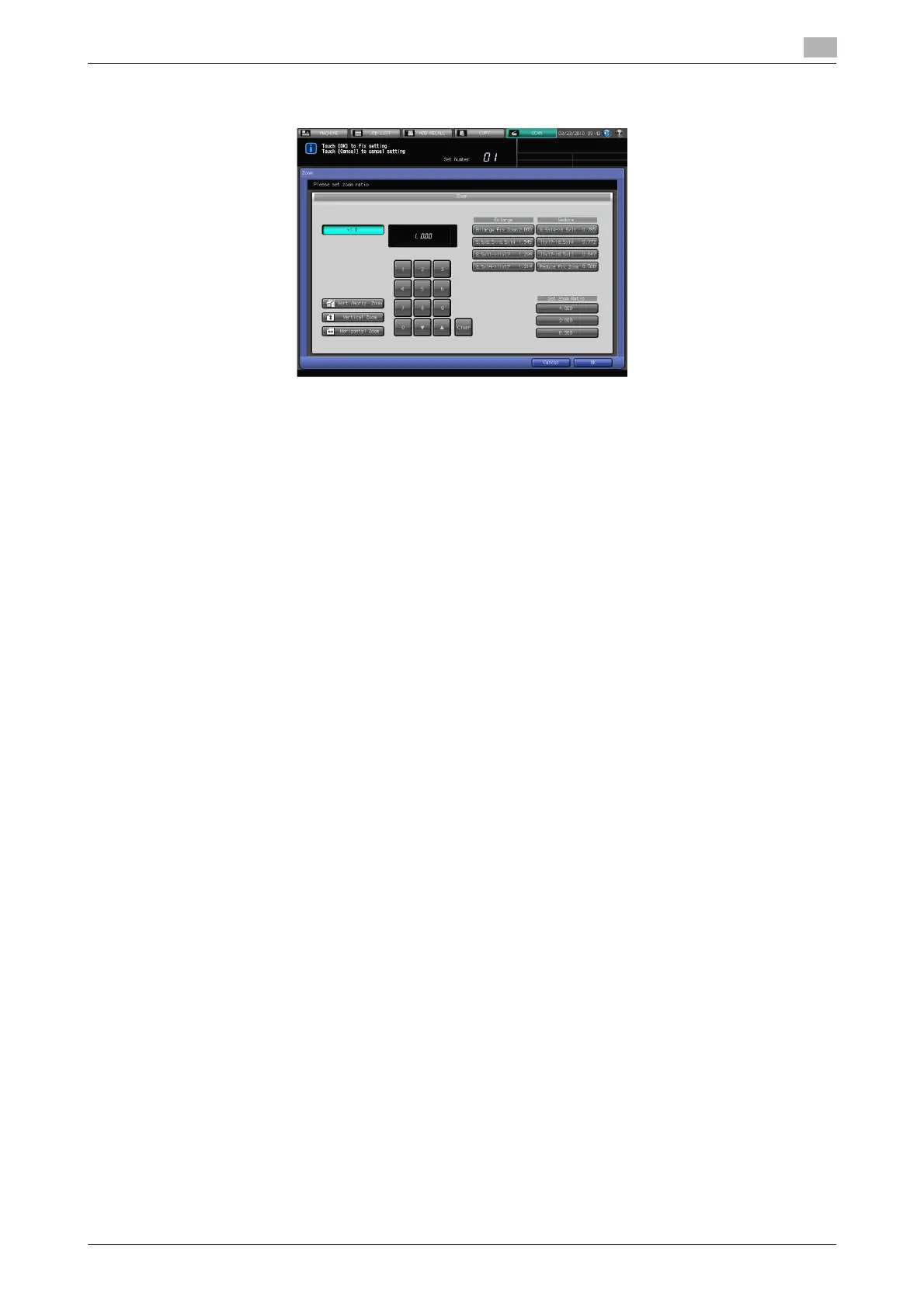
Zoom
In [Zoom], you can configure the following functions.
- x1.0
- Vert./Horiz. Zoom
- Vertical Zoom
- Horizontal Zoom
- Enlarge
– Enlarge Fix Zoom, 5.5x8.5->8.5x14, 8.5x11->11x17, 8.5x14->11x17
- Reduce
– 8.5x14->8.5x11, 11x17->8.5x14, 11x17->8.5x11, Reduce Fix Zoom
- Set Zoom Ratio
– 4.000, 2.000, 0.500
To enable zoom, a setting is required. For more information, contact your service representative.
d Reference
For details on [Zoom], refer to User's Guide (Copier).
Color
In [Color], you can configure the following functions.
- Full Color
- Gray Scale
- Black
- Color Space
– sRGB, Adobe RGB
Color Space is enabled only if [Full Color] is selected in Color.
d Reference
For details on [Color], refer to User's Guide (Copier).
Scan Size
In [Scan Size], you can configure the following functions.













 To Next Page