IC-601 6-46
6.10 Job List
6
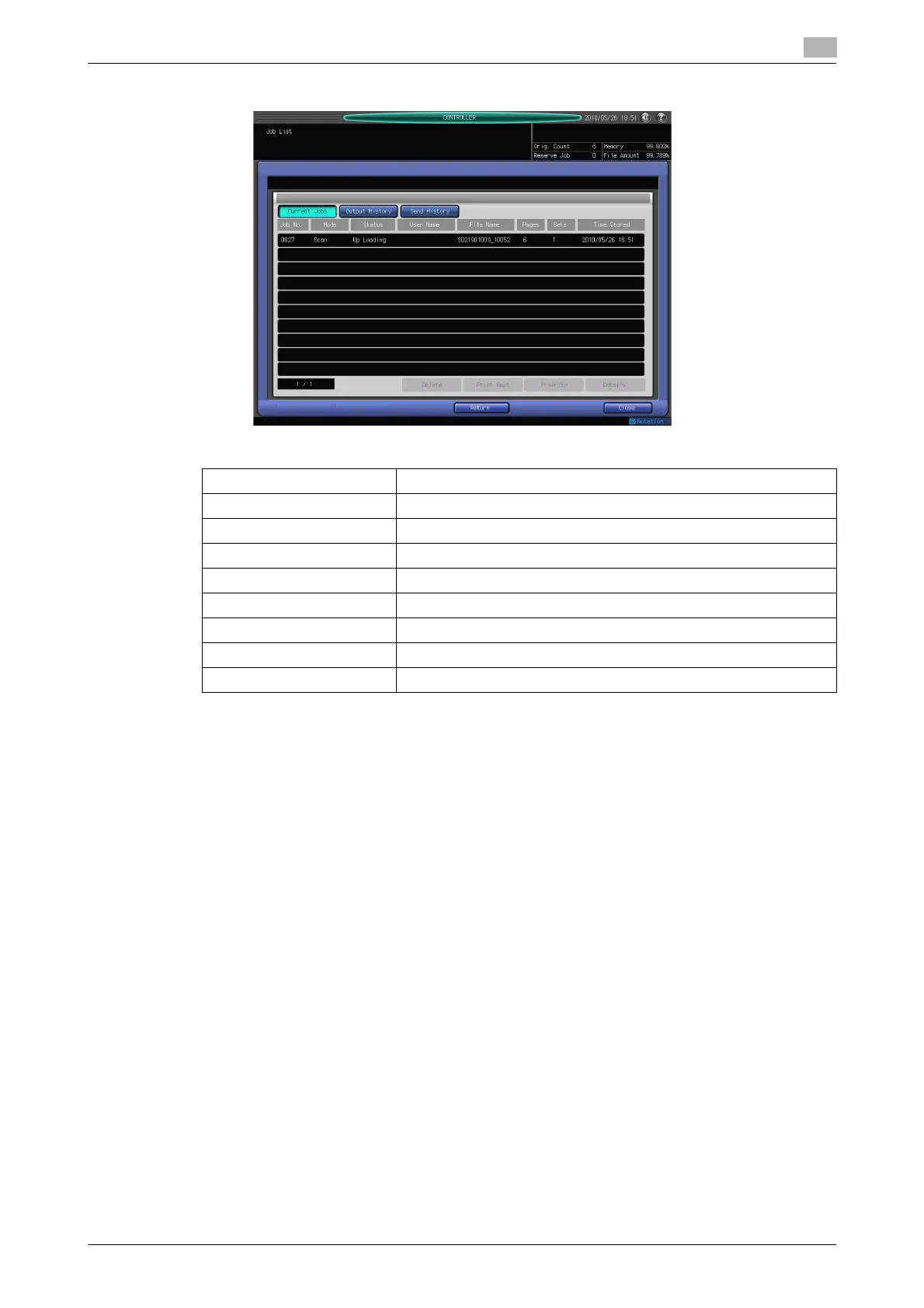
3 Now, you can check a job in the [Job List] screen.
% In [Job List], you can configure the following functions.
[Current Jobs] Press this button to display all current jobs.
[Output History] Press this button to display all outputted jobs.
[Send History] Press this button to display all sent jobs.
[Delete] Press this button to delete the selected job.
[Print Next] Press this button to print the selected job preferentially.
[Priority] Press this button to process the selected job preferentially.
[Details] Press this button to display detailed information on the selected job.
[Return] Press this button to return to the previous screen.
[Close] Press this button to exit from [Controller].





 To Next Page