IC-601 4-12
4.8 Sending Using Web Service (WS Scan)
4
Installing Web Service
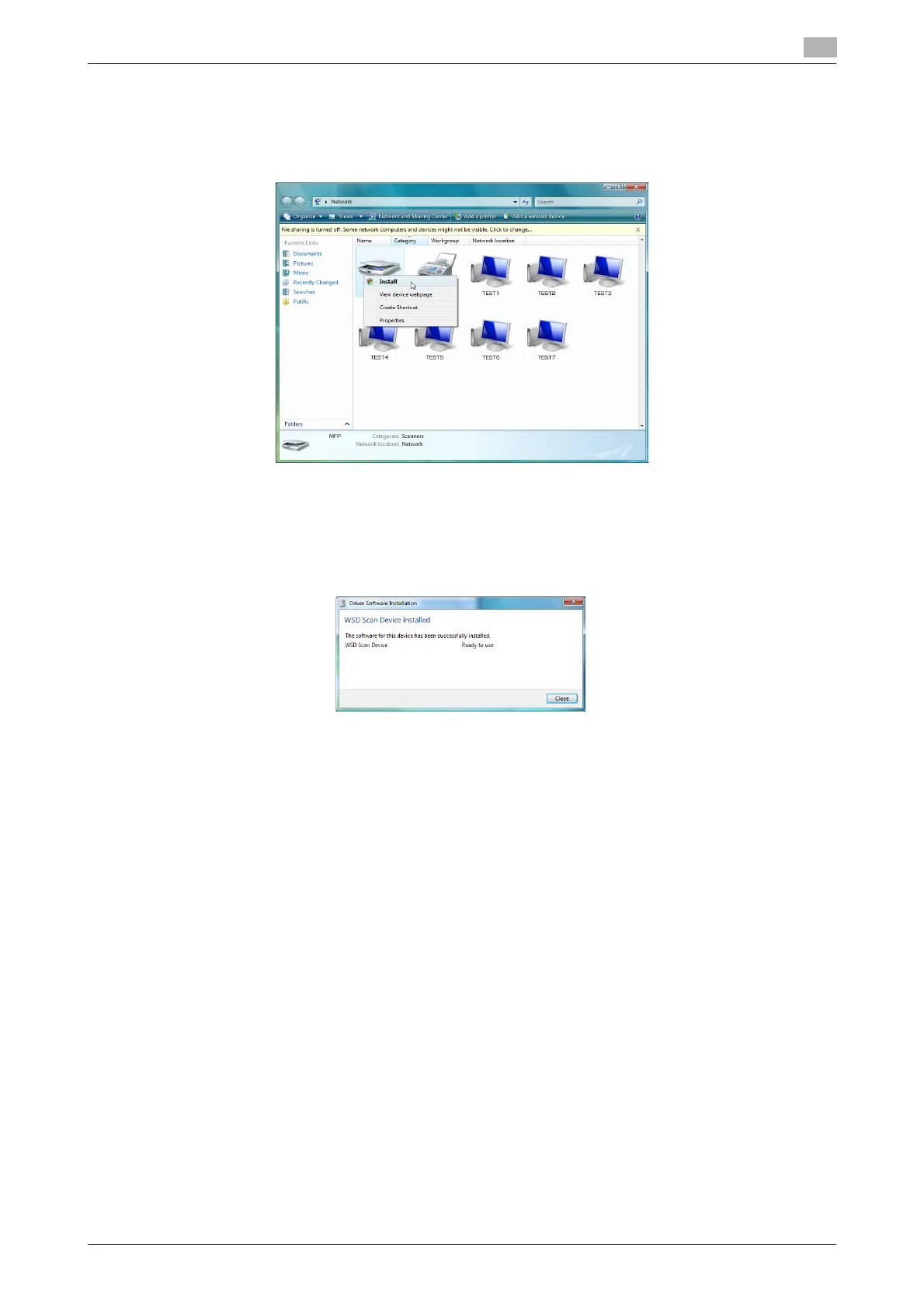
1 From [Start], select [Network].
2 Right-click the scanner icon representing this machine, and select [Install].
% Depending on the settings on the computer, the UAC (User Account Control) dialog box may ap-
pear. Check the details, and continue.
% If both of the scan and printer functions of the Web service are enabled on the machine, the machine
is represented by the printer icon.
3 The driver software is automatically installed and the confirmation screen is displayed. Click [Close].
d Reference
Refer to page 6-32 for more information about method to instruct a scan operation from a computer.













 To Next Page