IC-601 5-11
5.3 Registering a User Box
5
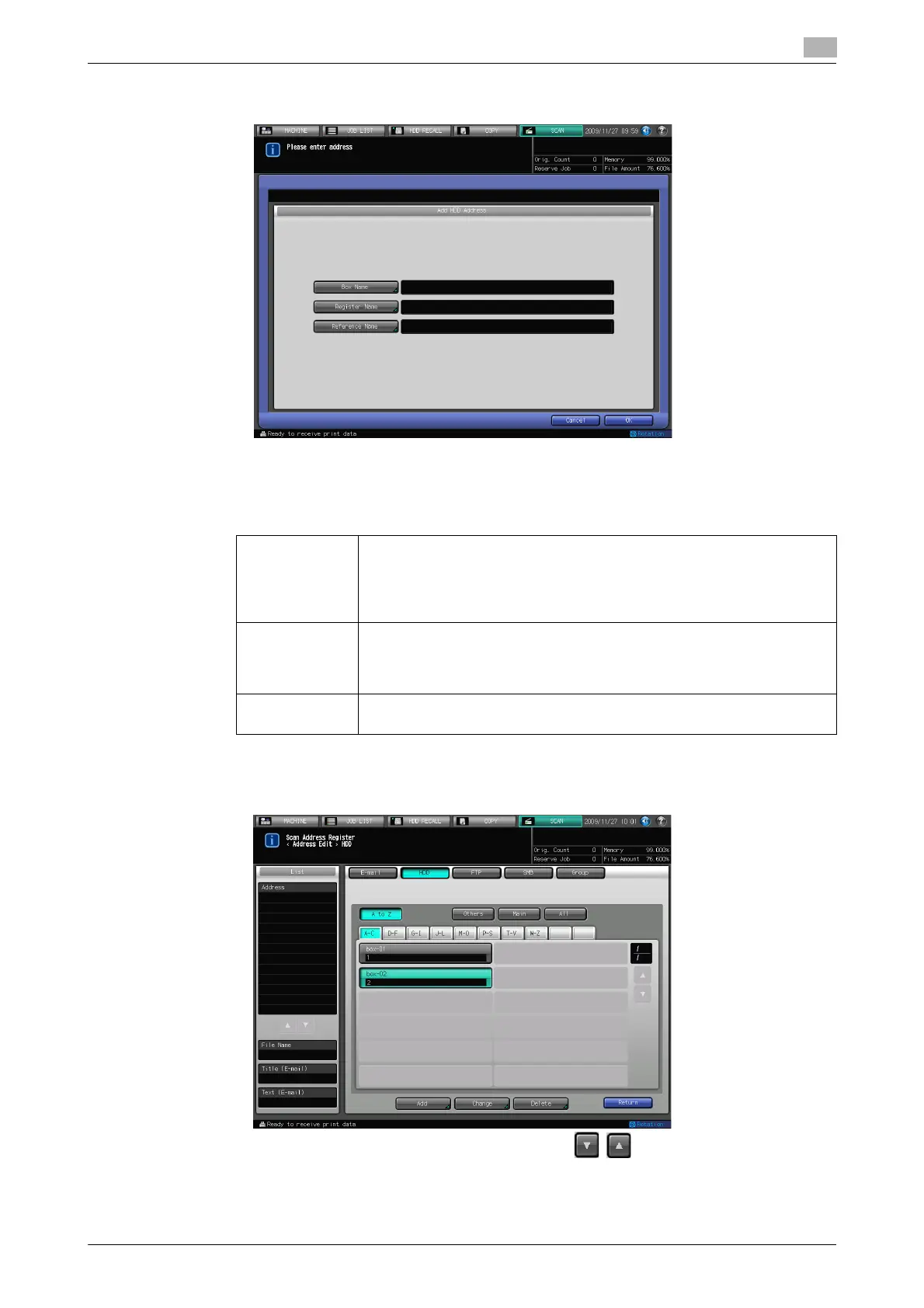
5 Configure the necessary items on the Add Address screen. Pressing an each item displays the char-
acter input screen.
% For more information on how to input characters, refer to page 3-6.
% If you want to use this copier as a scanner, it is recommended that an administrator assigns a user
box to each user and informs the assignment by an E-Mail in advance.
% The user box can protect each user's data.
6 Press [OK].
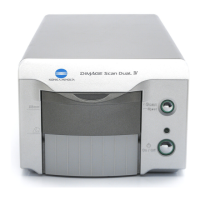
7 Make sure that the registered Name is displayed
% If the desired Name is not displayed on the page, press / to switch between pages.
8 Press [Return] to return to the Select Addresses screen.
[Box Name]: In [Box Name], input [User Box No.] (000000001 - 999999998) that was
registered when creating the user box. Refer to page 5-6 for more informa-
tion about method to create the user box.
• The job will be cancelled if you try to save scanned data to a box num-
ber that has not been registered.
[Register
Name]:
In [Register Name], input [Register Name] that was registered when creat-
ing the user box.
Refer to page 5-6 for more information about method to create the user
box.
[Reference
Name]
Used as a search keyword when you search addresses. Enter a reference
name within 24 characters in alphameric characters and signs.





 To Next Page