Using the Utility Mode
7
Konica 7115/7118 7-7
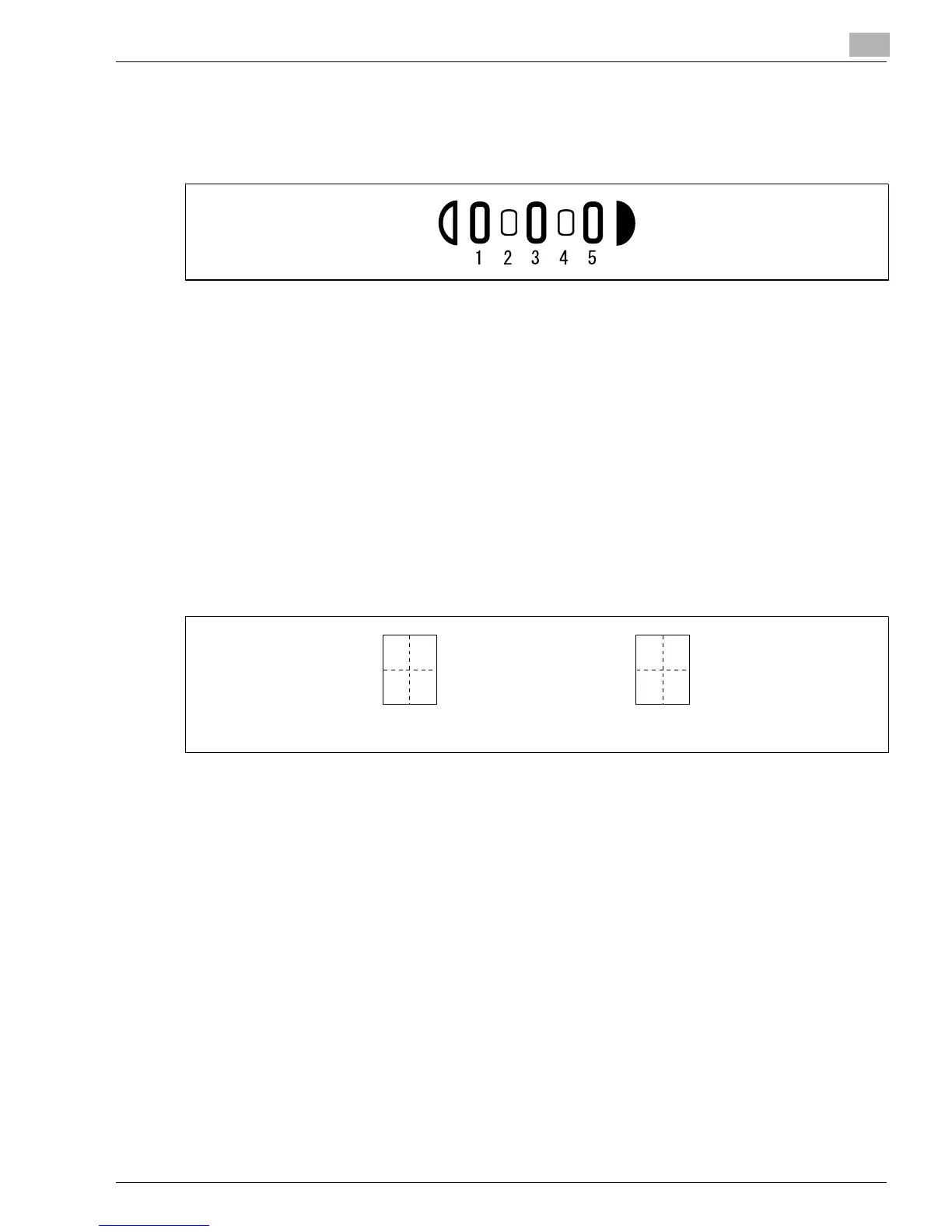
Exposure Level Priority (Manual)
Set the default value of the exposure level for the Manual exposure mode.
The image becomes lighter toward a smaller number and darker toward a larger number, with
“3” as the center value.
G
The default value is “3.”
Output Priority
Choose the finishing function to be selected automatically when power is turned ON or panel
reset from among “Non-Sort,” “Sort,” or “Group.”
G
The default value is “Non-Sort.”
Crisscross Mode
Select whether to enable or disable crisscross stacking when the conditions for crisscross
stacking are met.
G
The default value is “Enabled.”
4 in 1 Copy Order
Select the copying order in the 4 in 1 mode from among the following two patterns:
G
The default value is “Pattern A.”
Book Binding Position
Select whether to let the copier scan the left-hand-side page (Left-bound) or the right-hand-side
page (Right-bound) first when it scans an open book.
G
The default value is “Left-bound.”
IMAGE SHIFT Width Adjust
Choose the width of the IMAGE SHIFT to be set in the copy in the range between 0 and 3/4 (in
1-mm (1/16) increments).
G
The default value is “1/2”.
12
34
13
24
Pattern A
Pattern B
Konica7115_7118.book Page 7 Friday, October 19, 2001 12:02 PM











 To Next Page