8
Error Displays and Other Indicators
8-12 Konica 7115/7118
Clearing a Paper Misfeed
<Inside the Copier>
CAUTION
The area around the Fusing Unit is extremely hot.
➜
To reduce the risk of burns, do not touch any area other than the authorized knobs.
CAUTION
There are a number of protrusions on the backside of the guide plate.
➜
To avoid possible injury, be careful not to touch any areas other than the paper.
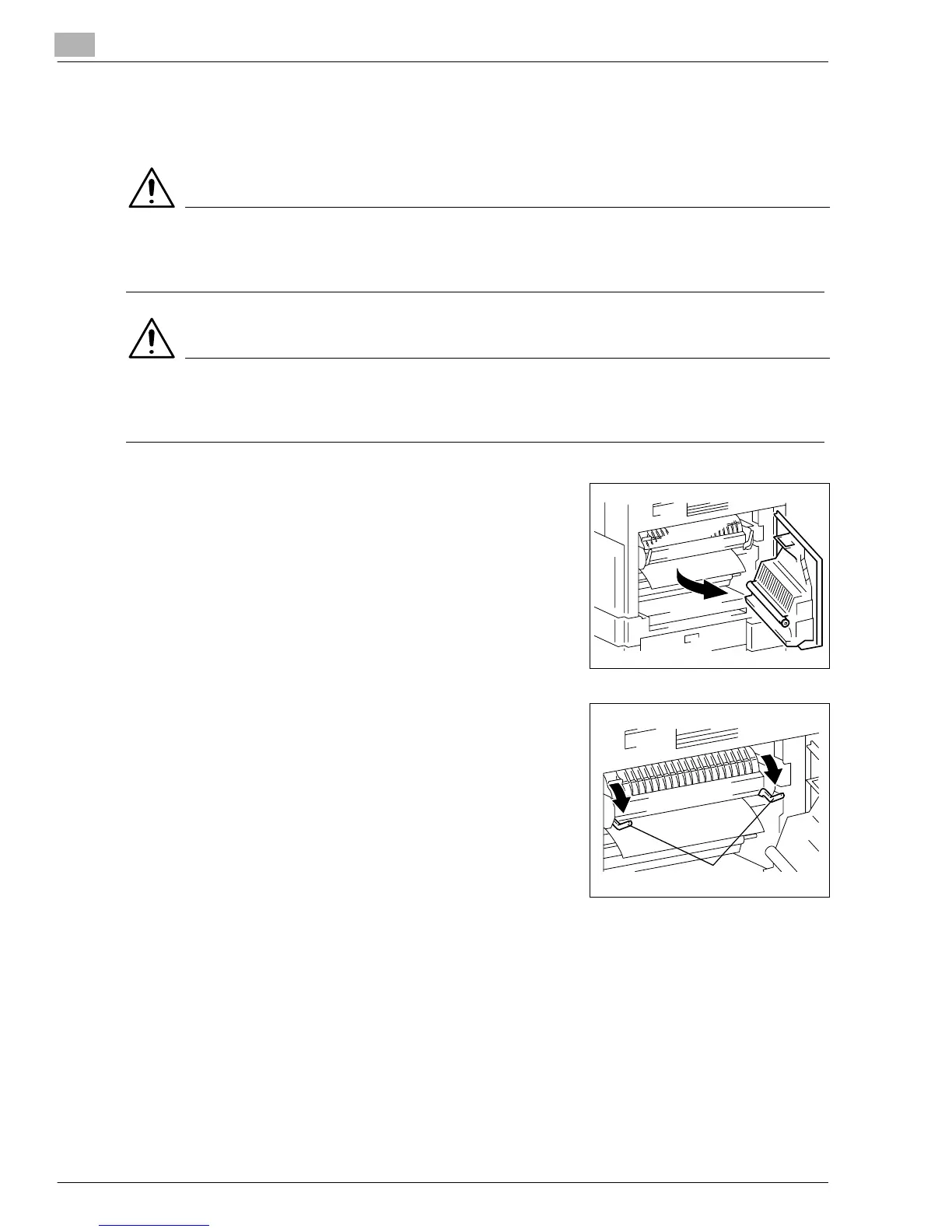
1
Open the Side Cover of the copier.
2
Unlock the Lock Release Lever of the Fusing Unit.
?
Do you know how to unlock the Lock Release Lever?
➜
Grasp the green lever to unlock the Lock Release
Lever.
Pressure Lever
Konica7115_7118.book Page 12 Friday, October 19, 2001 12:02 PM











 To Next Page