4
Loading Originals
4-8 Konica 7115/7118
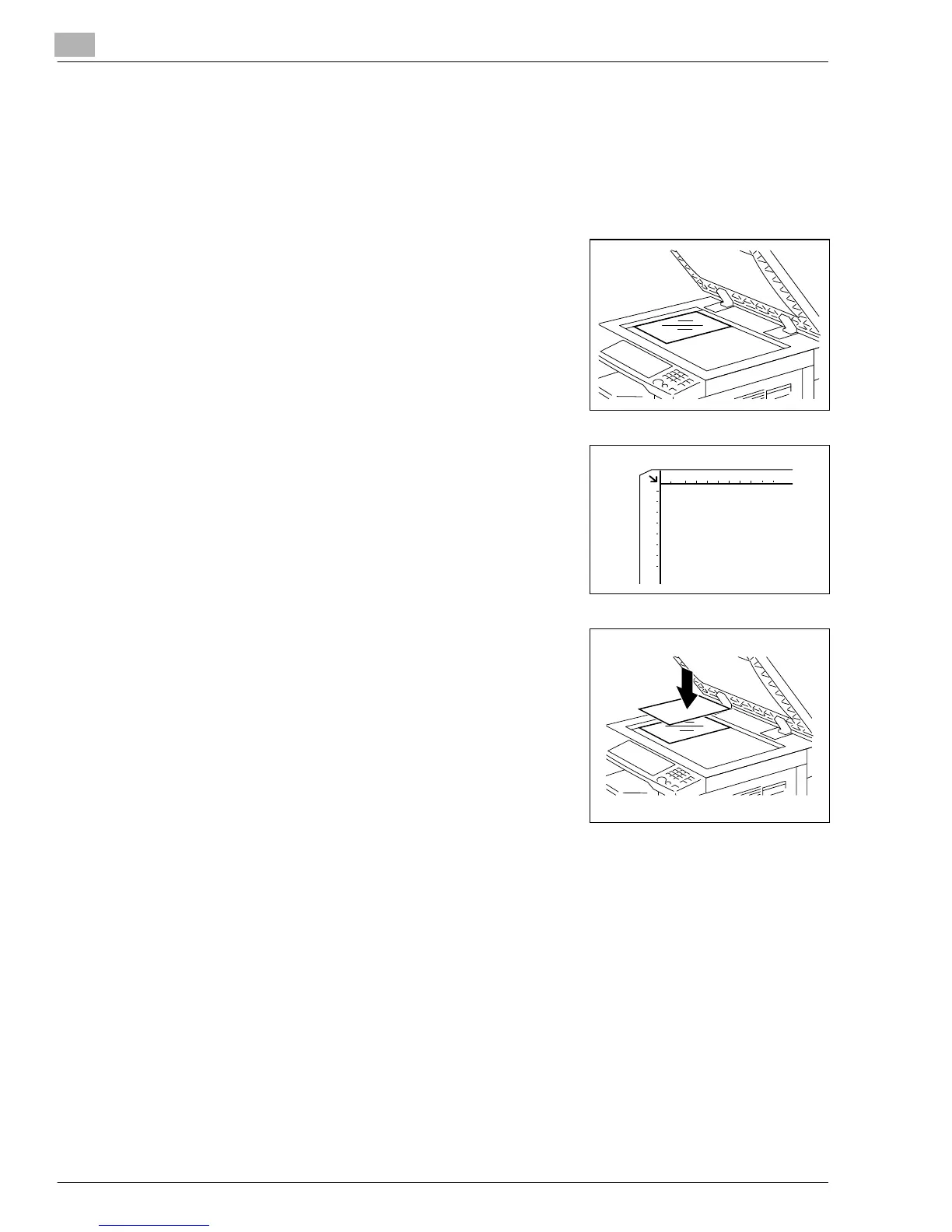
Highly Transparent Originals
When making a copy from OHP transparencies, translucent paper, or other highly
transparent original, position the original as detailed below.
1
Raise the Automatic Document Feeder or Original Cover.
2
Place the original face down on the Platen Glass.
3
Position the original in the left rear corner aligned with the
marker on the scale.
4
Place a blank sheet of paper of the same size over the
original.
5
Gently lower the Automatic Document Feeder or Original Cover.
6
Make the necessary settings.
❍
Making Copies (p.5-1)
❍
Advanced Copying (p.6-1)
7
Press the [START] key to start the copy cycle.
Konica7115_7118.book Page 8 Friday, October 19, 2001 12:02 PM











 To Next Page