Before Making Copies
3
Konica 7115/7118 3-9
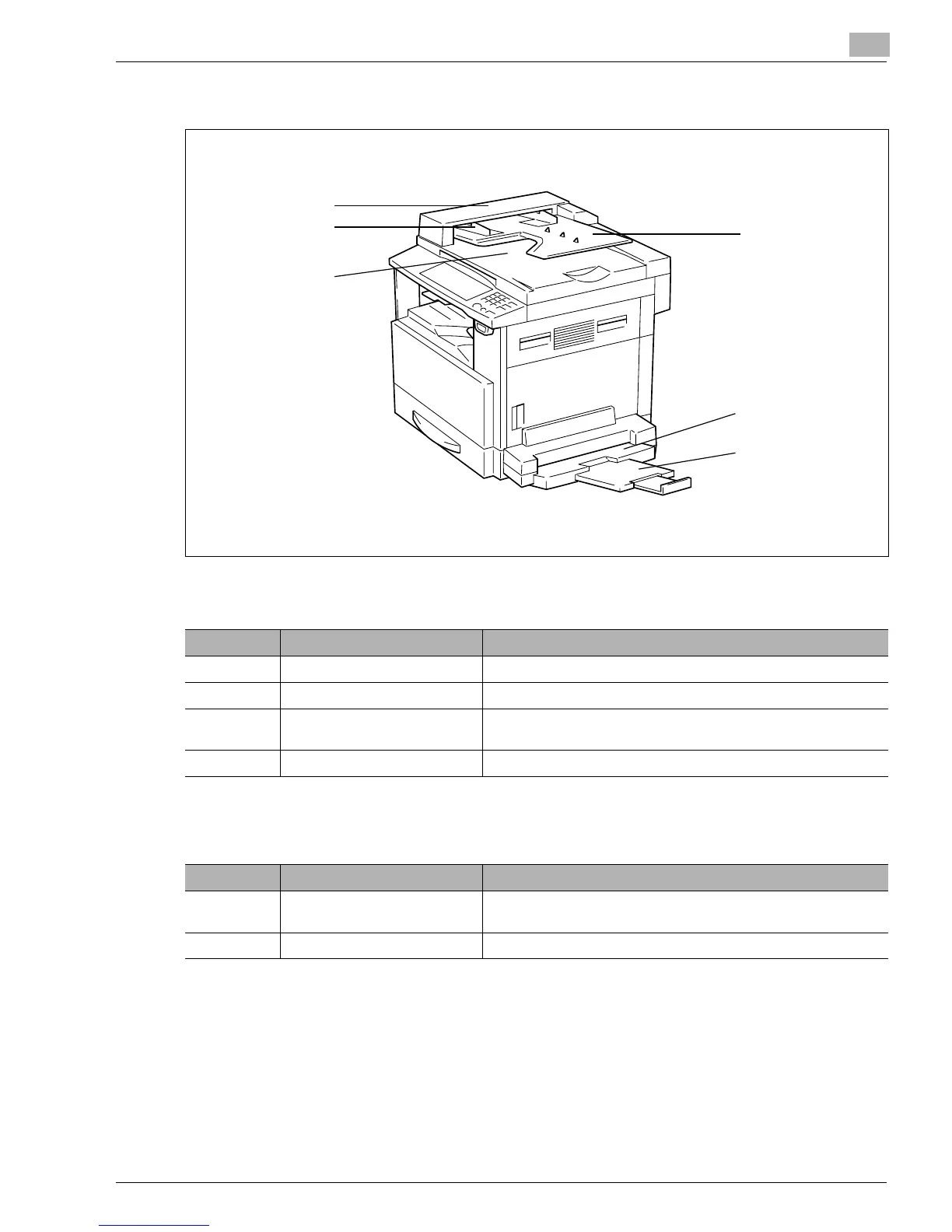
Options
Automatic Document Feeder
Multiple Bypass Tray
No. Part Name Description
1 Document Exit Tray Receives originals which have been scanned by the copier.
2 Document Guide Plate Slide the guide plate to the size of the originals. (p.4-3)
3 Document Feeder Cover (Doc.
Feed Cover)
Open when clearing an original that has been misfed. (p.8-18)
4 Document Feeder Tray Load the originals to be copied face up on this tray. (p.4-3)
No. Part Name Description
5 Bypass Tray Up to 50 sheets of plain paper or 20 sheets of special paper can be
loaded on this tray. (p.8-7)
6 Bypass Tray Extender Slide this Bypass Tray Extender out to load paper of a large size.
1
2
3
4
5
6
Konica7115_7118.book Page 9 Friday, October 19, 2001 12:02 PM











 To Next Page