Error Displays and Other Indicators
8
Konica 7115/7118 8-13
3
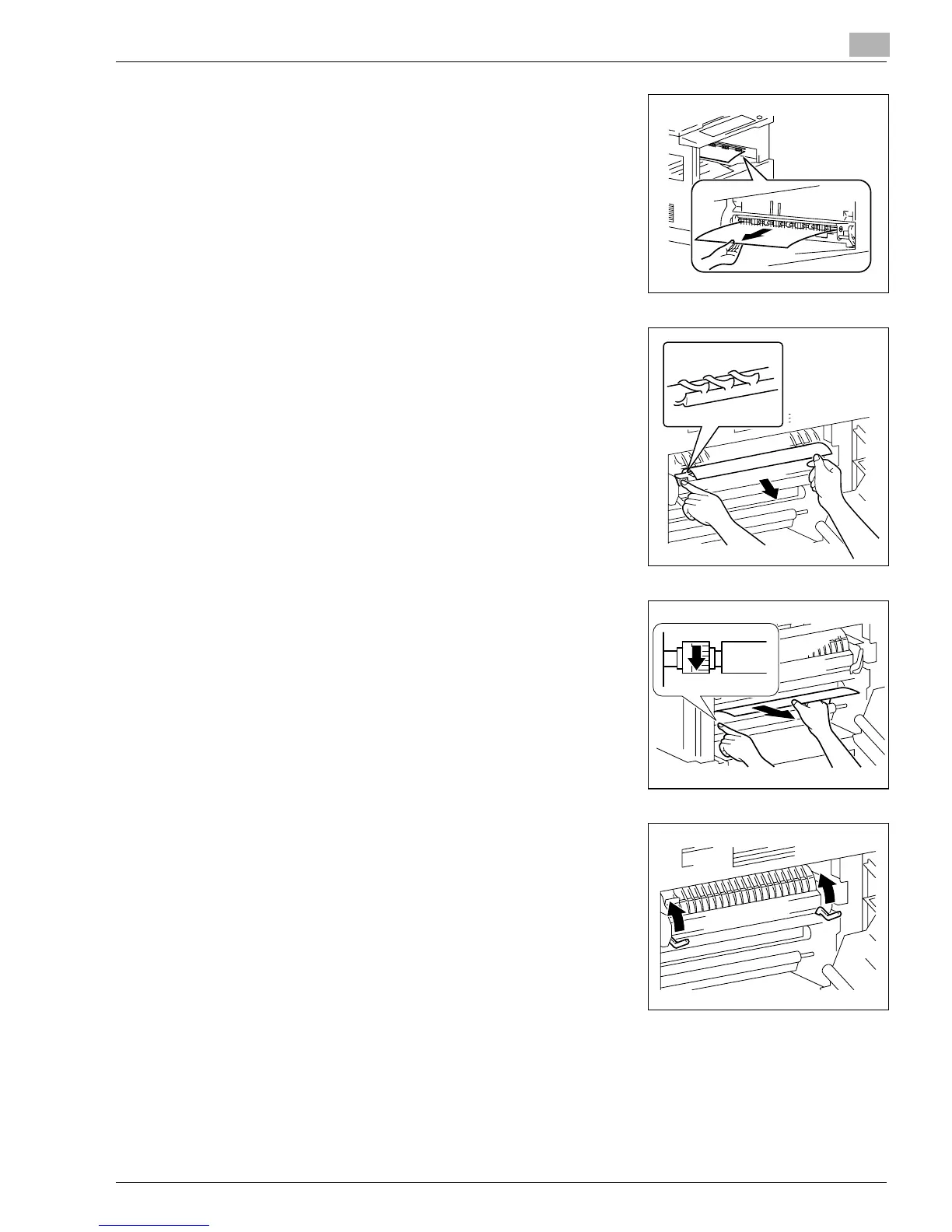
Gently pull out the sheet of paper.
4
Lowering the guide plate, gently pull out the sheet of
paper.
?
Do you know which part to grasp?
➜
Grasp the green portions to lower the guide plate.
5
Turning the knob of the roller in the direction of the arrow,
gently pull out the sheet of paper.
?
Do you know which part to grasp to turn the roller?
➜
Be sure to grasp the green knob to turn the roller.
6
Lock the Lock Release Lever into position.
7
Close the Side Cover of the copier.
Konica7115_7118.book Page 13 Friday, October 19, 2001 12:02 PM











 To Next Page