8
Error Displays and Other Indicators
8-16 Konica 7115/7118
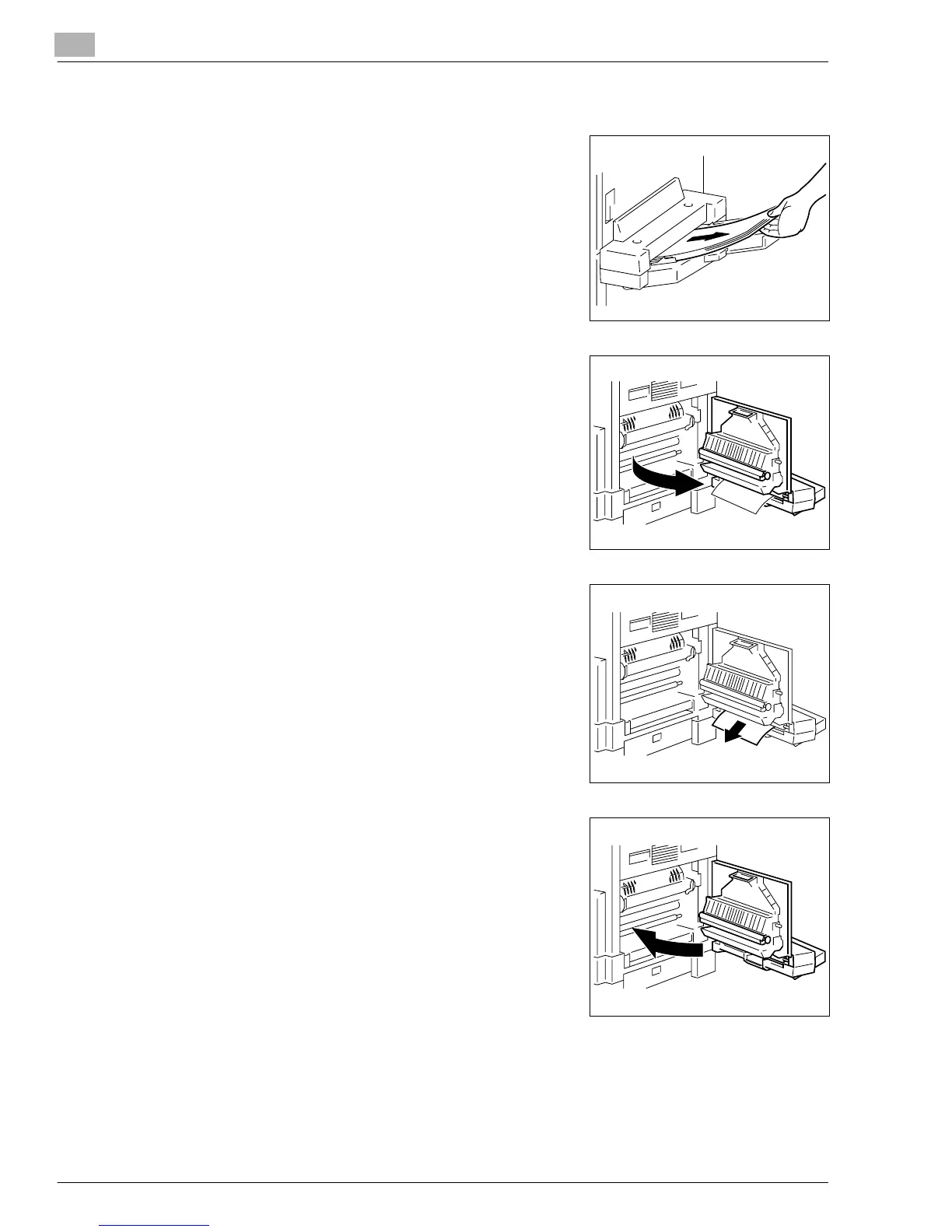
<Multiple Bypass Tray>
1
Unload the paper stack from the Bypass Tray.
2
Open the Side Cover of the copier.
3
Gently pull out the sheet of misfed paper.
4
Close the Side Cover.
Konica7115_7118.book Page 16 Friday, October 19, 2001 12:02 PM











 To Next Page