Error Displays and Other Indicators
8
Konica 7115/7118 8-19
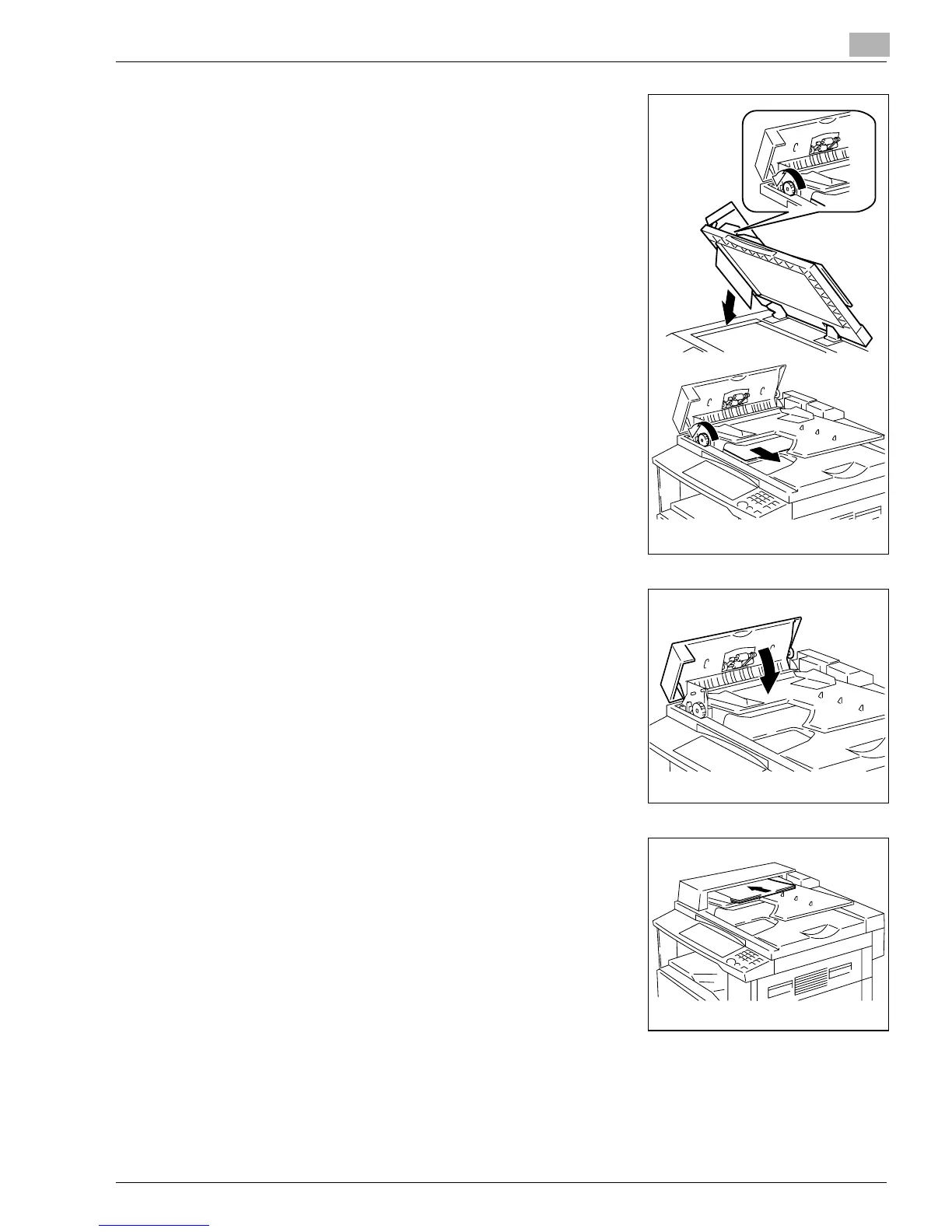
4
Turning the document feed knob in the direction of the
arrow, gently pull out the original.
5
Close the Document Feeder Cover.
6
Reload the document which was unloaded in step 2.
?
Do you know what to do if “-1” is shown on the
Display?
➜
Merge the misfed original with the remaining pages for
reloading.
Konica7115_7118.book Page 19 Friday, October 19, 2001 12:02 PM











 To Next Page