5
Making Copies
5-14 Konica 7115/7118
X/Y Zoom
This setting allows you to enter the zoom ratio for X and Y independently on the KEYPAD.
1
Position the original.
❍
Original Loading (p. 4-1)
2
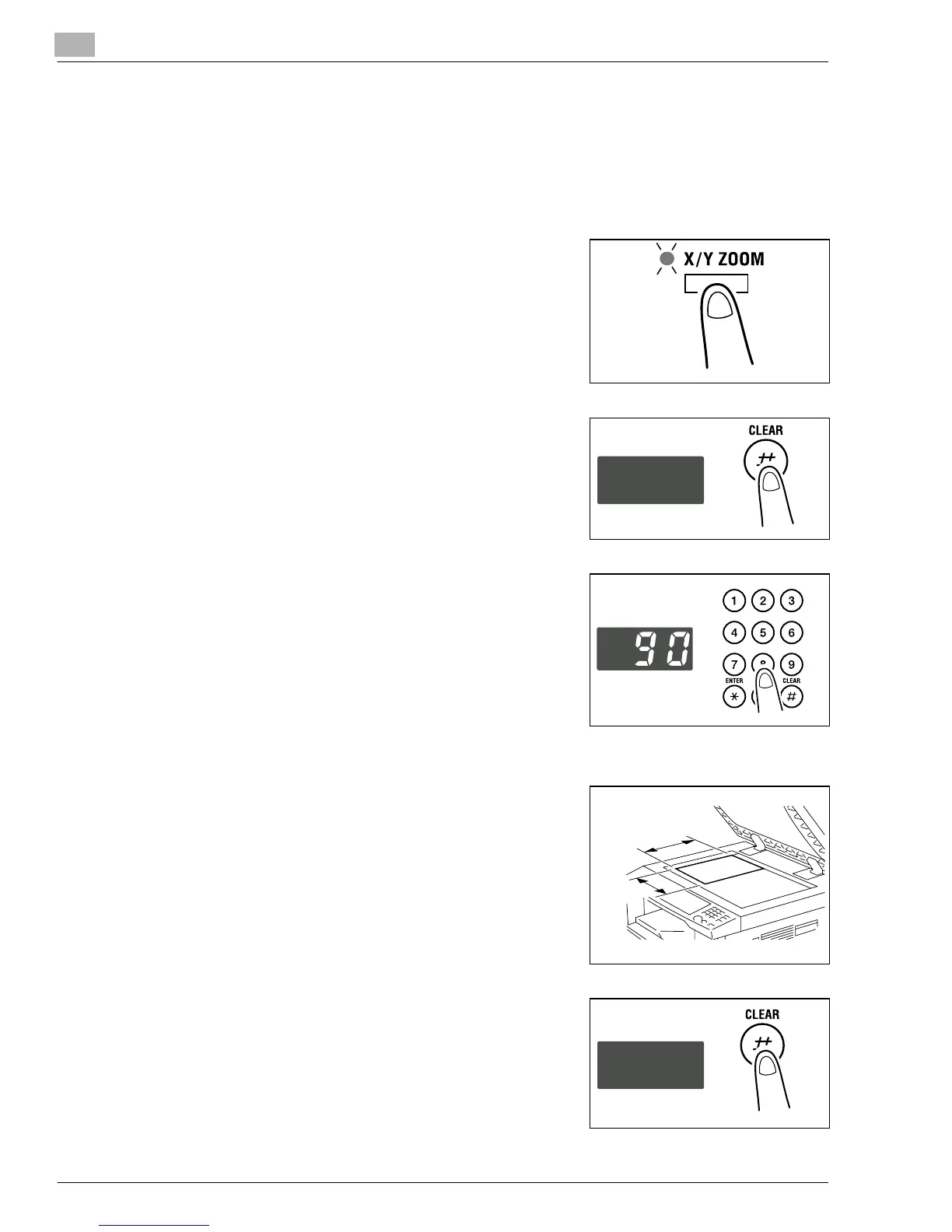
Press the [X/Y ZOOM] key on the control panel to light the
X/Y ZOOM indicator.
3
Press the [CLEAR] key to clear the old value for X
(length).
4
First, enter the zoom ratio (%) for X (length) on the
KEYPAD and then press the [ENTER] key.
?
Do you know the range for the value X in X/Y Zoom?
➜
The ratio can range from 50% to 100%.
?
Do you want to change the value just entered?
➜
Press the [CLEAR] key and then re-enter the new
value.
?
What happens when a value outside the specified range is entered?
➜
The Display shows “Err.” Press the [CLEAR] key and
re-enter a new value that falls within the range.
5
Press the [CLEAR] key to clear the old value for Y (width).
Y (width)
X
(length)
Konica7115_7118.book Page 14 Friday, October 19, 2001 12:02 PM











 To Next Page