Connecting to the Internet
Connect to the Internet using Wi-Fi or mobile data
to surf the web, play games, and use instant
Connecting to a Wi-Fi network
You have two methods to activate and de-activate
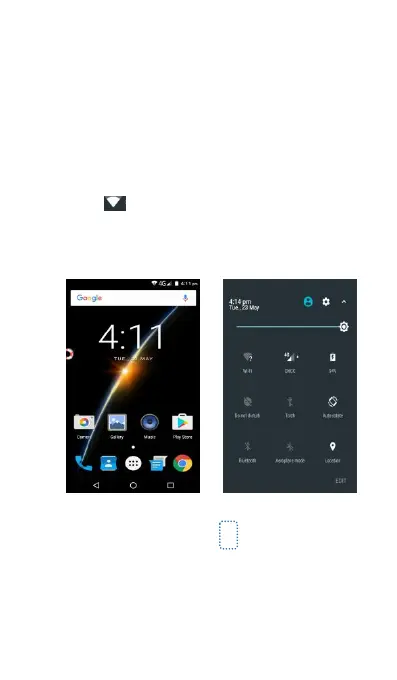
(1) Slide down from the status bar to open the
notification panel. In the Shortcuts tab,
touch and open the Wi-Fi settings screen.
You can see a list of Wi-Fi networks, please
choose one to connect. For more information,
(2) Access Settings->Wireless& networks->Wi-Fi,
and then you can turn on Wi-Fi, and your
phone will automatically shows a list of Wi-Fi
network, please choose an available one to
connect. For more information, please see



 To Next Page