Note: When sending SMS or MMS via the network,
the mobile phone displays “Sending”. When it has
finished sending, the screen displays the sent time
of that message. It indicates that the message has
been sent to the SMS center inbox set in the mobile
phone but does not mean the receiver has received
the SMS. For more information, please consult the
Sending a Text or Multimedia Message
(1) You can send short text messages (SMS) and
multimedia messages (MMS) to other mobile
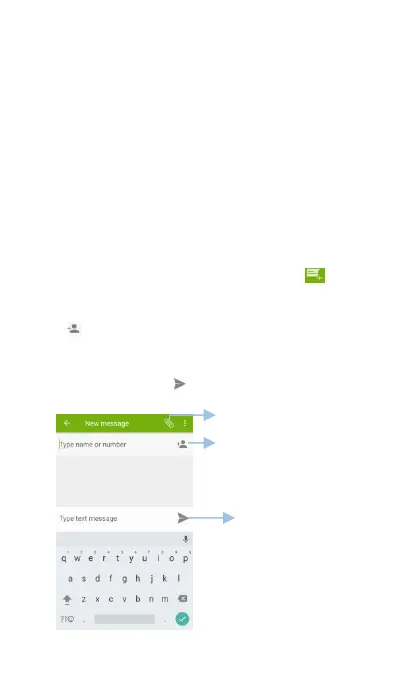
(3) In the list of message thread, Touch .
(4) Select the recipient box and enter the contact
name or phone number. You can also touch
to open your contact list and choose a
contact or contact group.
(5) Select the text field and enter your message,



 To Next Page