how you can copy files to your storage card, see
Transferring data between your phone and PC.
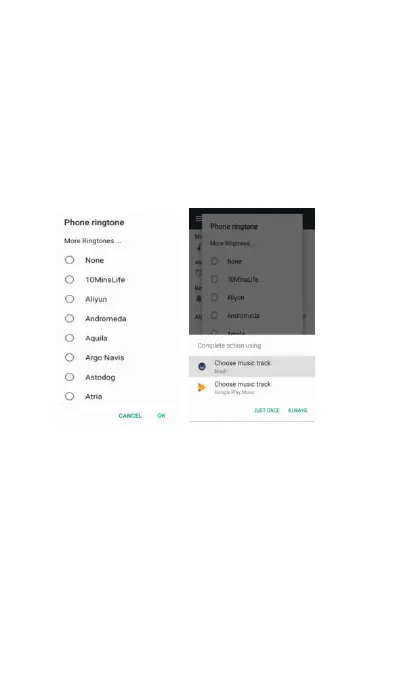
(1) Access Settings->Sound->Phone Ringtone.
(2) Touch the ringtone you want to use. The
ringtone briefly plays when selected.
(3) Touch OK to choose it.
If you want to use the music on your Micro SD card
as the ringtone, choose the song in Music
application, then Touch “More Ringtones” from the
options list. See screenshot below.
Personalizing your Home screen wallpaper with
your favorite photo is a quick and easy way to
change the feel of your phone and give it a fresh
look. Browse the collection of wallpapers included
in your phone or choose from photos that you have
(1) Long press home screen, and then choose
(2) Select the wallpaper you want and set it as



 To Next Page