the new call, you can choose to switch between the
(1)When you receive another call, touch Answer to
accept the second call, and to put the first call on
(2) To switch between callers, touch the person
you want to talk to on the screen.
(3) To end the current call and return to the other
You can start a conference call between all parties
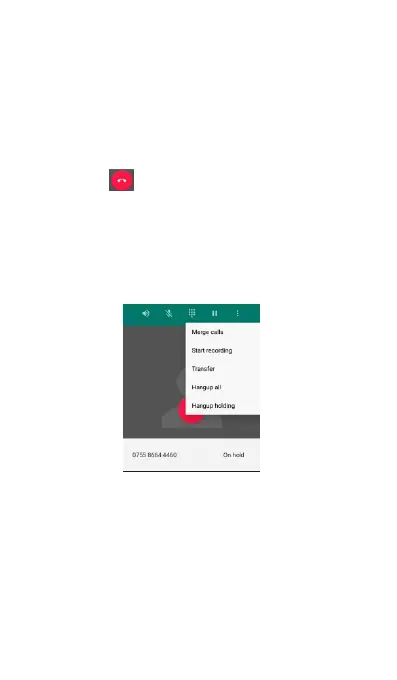
by merging the calls. To merge the calls, touch to
Multiple calls screen is as below, the call in process
is on the left side of the screen and the other call on
hold is shown on the bottom right corner.
Setting up a conference call
(1)Make a call to the first conference call
(2)When connected, touch Add call, and then
dial the number of the second participant. The
first participant is put on hold when you dial the
(3)When connected to the second participant,



 To Next Page