You can choose a language to do spell check, for
example, you can choose to use system
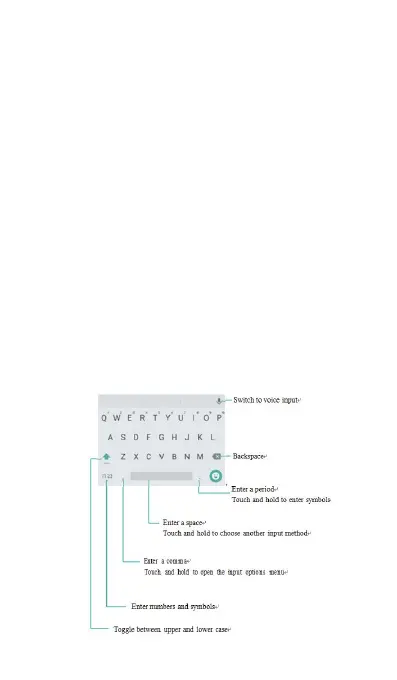
Keyboard and input method
You can choose virtual keyboard and Physical
Google Text-to -Speech engine.
The Android input method supports a wide range of
Open Settings, touch Advanced settings->
Language & input->Default keyboard->Keyboard
and input method, and then chose the
corresponding input method. Your mobile phone
supports Android input methods and other input
methods you want to download from Google Play



 To Next Page