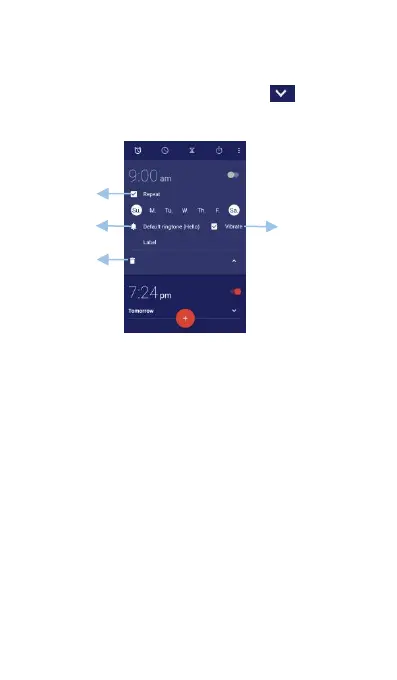
time, ringtone, repetitions, and more.
Enable or disable an alarm: Touch the switch next
Configure the alarm settings: Touch to
configure the snooze duration, silent mode settings,
and volume button behavior.
Choose check box, you will turn this alarm on.
Whereas, clear the check box, you will turn it off.
(1) Time: Display the alarm time, Touch it to set
(2) Repeat: Choose the day you want to repeat.
The options are: Monday to Sunday. You can
choose only a day or several days of a week.
(3) Ringtone: Choose the default ringtone of the
(4) Vibrate: Choose this check box, the device will
vibrate when the alarm goes off.
(5) Label: You can touch the label of this alarm.
After finishing configuring the settings, Alarm will be
Press the volume down button.



 To Next Page