Reference • Effects
201
This Symphonic Ensemble effect cannot be used
simultaneously with any one of the following modula-
tion effects.
25…27: Flanger
Flanging operates on basically the same principle as
chorus-type effects, but adds a feedback loop to the
delay output. It produces a chorus-like effect, but can
also create a feeling of pitch even on non-pitched
sounds. In particular when used on sounds with a rich
overtone structure, such as cymbals, flanging can pro-
duce very intense effects.
25: Flanger 1 applies modulation to both channels
using the same phase.
26: Flanger 2 modulates the two channels in opposite
phase, causing the stereo image to move back and
forth.
27: XOver Flanger modulates the two channels in
opposite phase, and swaps the feedback signal.
For each of these three flangers, a two-band shelving
equalizer is applied to the signals of the right and left
channels before the flanging effect is applied.
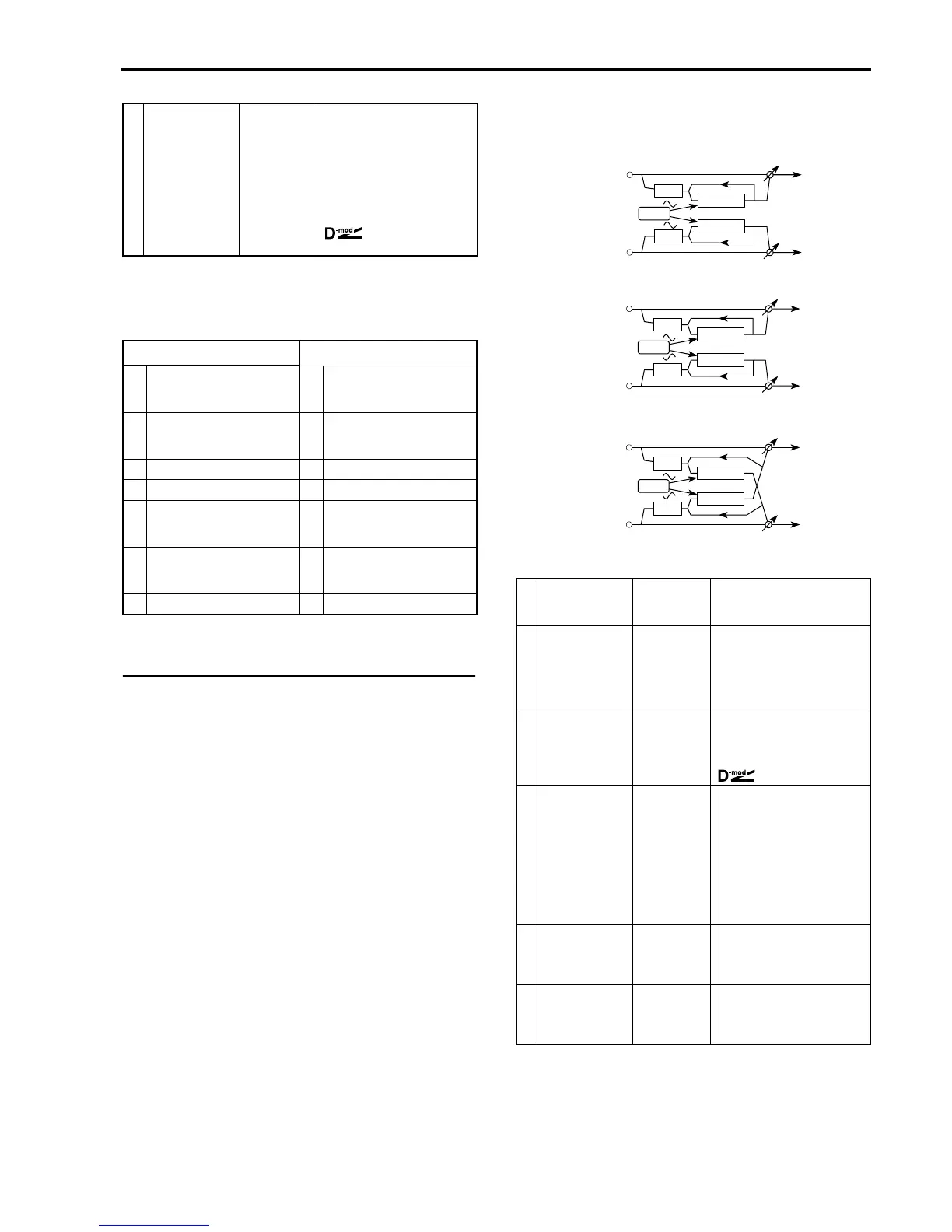
→ Dry:Effect balance DRY,
B1…B99, FX
Set the balance between the
direct sound (DRY) and the
sound processed by the effect
(FX). With a setting of DRY, the
effect will be turned off. With a
setting of FX, only the ensemble
sound will be heard. Other set-
tings set the proportion of the
direct sound and effect sound.
☞Pagina 194 in que-
sto manuale.
Effect types
Effect types
19
–
20
Chorus 35
–
36
Tremolo
21
–
22
Quadrature Chorus 38
–
39
Chorused/Flanged Delay
23 Harmonic Chorus 42 Delay & Chorus
24 Symphonic Ensemble 43 Delay & Flanger
25
–
27
Flanger 46 Delay & Phaser
32
–
33
Phaser 47 Delay & Rotary Speaker
34 Rotary Speaker
T Delay time 0…200 ms Set the basic delay length. Both
channels use the same delay
time.
M Modulation depth 0…99 Set the depth at which the LFO
will modulate the delay time.
Higher settings will cause the
modulation effect to be more
pronounced. With a setting of 0
there will be no flanger effect.
→
S
Modulation speed 1…99 Set the speed of the LFO that
modulates the delay. For a stan-
dard flanger effect, set a low fre-
quency (approximately 1 Hz).
☞P. 194.
F Feedback –99%…+99% Set the amount of feedback; i.e.,
the amount of the signal that will
be returned to the input of the
flanger. As this value is increa-
sed, the resonance produced by
the flanger effect will be increa-
sed. Negative values will invert
the phase of the feedback, lowe-
ring the pitch of the effect sound
by 1 octave.
L Equalizer low –12 dB…+12
dB
Set the amount of boost or cut
that the shelving type equalizer
will apply to the region below 1
kHz.
H Equalizer high –12 dB…+12
dB
Set the amount of boost or cut
that the shelving type equalizer
will apply to the region above 1
kHz.
Left
EQ
Flanger
Right
Mix
Mix
Flanger
MOD
EQ
Left
EQ
Flanger
Right
Mix
Mix
Flanger
MOD
EQ
Left
EQ
Flanger
Right
Mix
Mix
Flanger
MOD
EQ
Flanger 1
Flanger 2
XOver Flanger



 To Next Page