H215 AE Rev.: 10 kortho Hot Quick Coder-D
3-1
3 PROCESS DESCRIPTION
3.1 The printing process
Thepurposeoftheprinteristoprintanimageonasubstrate.Thisprinterusesheat,pressureandtimeto
makeaprintbytransferringinkfromahotrolltothesubstrate.
Theinkistransferredtothesubstratewhenthetextholder,whichholdstheimagetobeprinted,
takestheink
fromthehotrollandispressedontothesubstrateagainsttheplaten.Inordertotransfertheinkfromthe
hotrolltothetextholderthehotrollandthetextholdermustbehotenough.Ingeneralatemperaturesetting
of135°Cgivesagoodprintresult.
Theoperatorcansettheprintparameters;temperature,pressureandtimetodesiredvalues.Theseparameters
aredependentonthediesize,theHotroll/substratecombinationandtheenvironment.Beforeprintingthe
printermustheatthetextholderandthehotrolltoadefinedtemperature.
Theprintcyclestartswithatrigger
signal.Ahostmachine,switchoraphotocell,whichdetectstheproductor
specialmarkonthesubstrate,mustgeneratethistrigger.Theprinterthenstampstheinkedtextholderonthe
substrate.Whenthetextholderleavesit’srestpositionthehotrollwillberotatedinordertoget
aoptimalink
transferanduse.
Analarmoutputissetwhenaprintererroroccurs.
3.2 User interface
Theuserinterfaceconsistsoftwoparts,thecontrolpanelandthemenustructureofoperatormenus.
3.2.1 Control panel
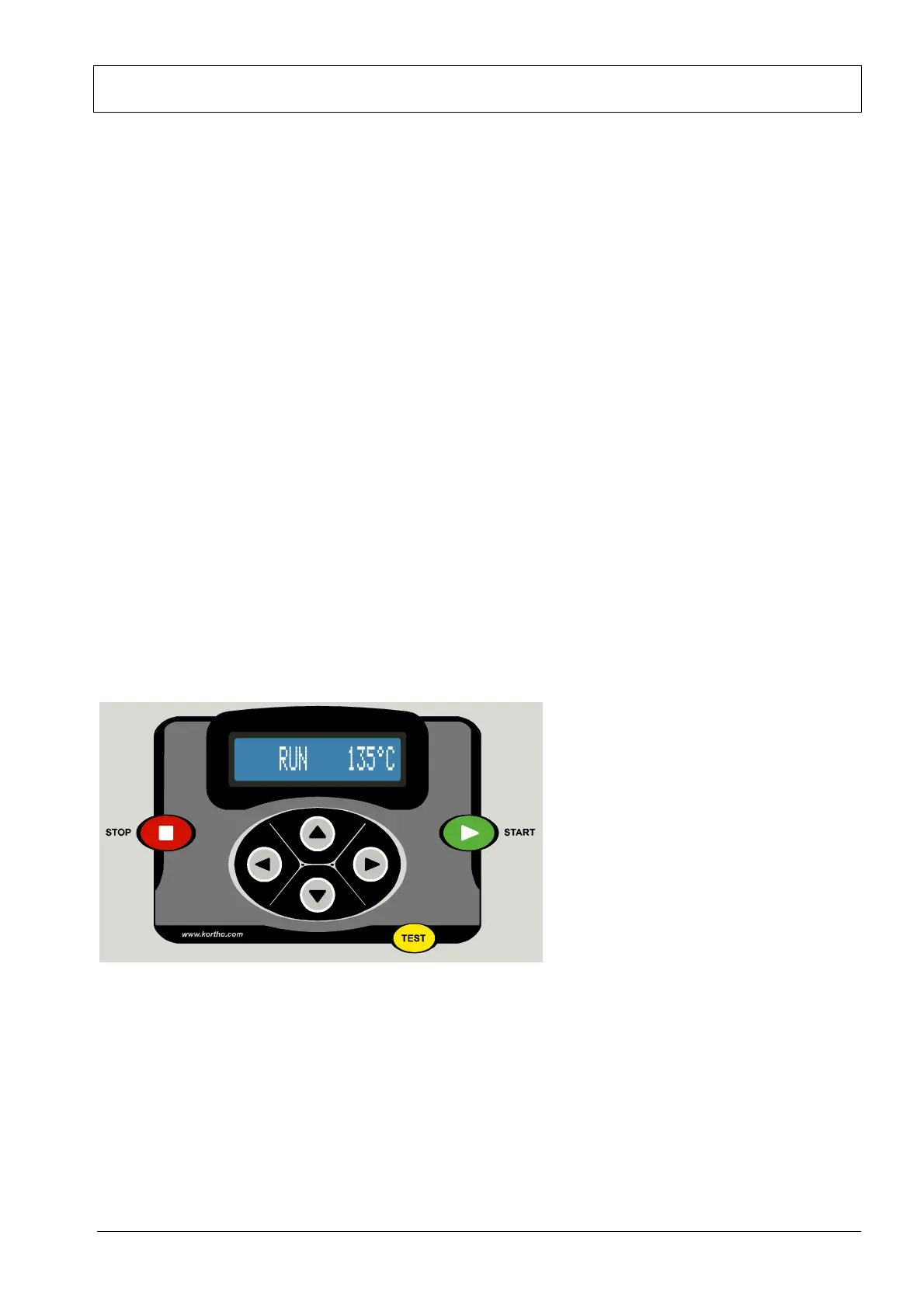
Fig. 3.1 Controlpanel.
ThecursorkeyspositionedbelowtheLCDdisplayonthecontrolpanelareusedtonavigatethroughthe
controlboxʹsscreenmenus.
Threecommandkeys,STOP,STARTandTESTareprovided.
TheSTOPkeysetstheprinterinthestop‐mode.Instop‐modetheprinting
isstoppedand‘STOP’isdisplayed
ontheLCD‐display.
TheSTARTkeysetstheprinterintherun‐mode.and‘RUN’isdisplayedontheLCD‐display.Theprinter
acceptsnowtriggerpulsesfromthehostmachine,ifthealarmisnotset.



 To Next Page