Need help?
Do you have a question about the Kortho Hot Quick Coder-D Series and is the answer not in the manual?
Explains terms and conventions used throughout the manual for clarity.
Details the standardized format for presenting instructions and sub-instructions within the manual.
Describes warning, caution, and note symbols indicating potential hazards or important information for user safety.
Provides definitions for key technical terms used in the manual, aiding comprehension of the printer's components and functions.
Defines the qualifications and training requirements for operators and technicians working with the printer.
Outlines essential safety precautions and warnings regarding hot parts and moving components of the printer.
Specifies the intended industrial applications for the Hot Quick Coder-D and limitations on its usage.
Details the technical specifications, including dimensions, power requirements, and operating environment for the printer.
States the expected operational lifespan of the equipment and factors that may affect it.
Provides guidelines for installing the control box in locations with minimal shock and vibration.
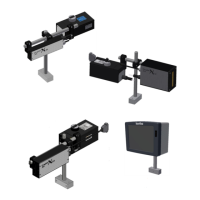
Provides an overview of the Hot Quick Coder system, including its main components and printing mechanism.
Details the components and features of the printer's control box, including the user interface and connections.
Describes the coding unit, its parts like the print head, heating ring, and text holder.
Explains the function and characteristics of the text holder, including its role in printing and character placement.
Describes the standard bracket and platen used for mounting the coding unit onto a host machine.
Explains the mechanism of how the printer transfers ink to the substrate using heat, pressure, and time.
Covers the control panel and menu structure used for operating and configuring the printer.
Lists the European directives and harmonized standards to which the product conforms.
Specifies the required power supply voltage and frequency, and grounding precautions for safe operation.
Details essential checks to perform before powering on the printer to ensure correct connections and safety.
Provides critical safety instructions for opening the control box, emphasizing power disconnection.
Outlines necessary measures to prevent damage to electronic components from electrostatic discharge during handling.
Explains the meaning and importance of various caution labels found on or near the coding unit.
Lists the necessary customer-provided resources and environmental conditions for installing the printer.
Describes the procedure for adapting the printer from 230VAC to 115VAC operation by changing fuses and heating elements.
Guides the user through the physical mounting process of the coding unit onto a host machine.
Provides instructions for selecting a location and securely mounting the control box near the coding unit.
Details the steps for preparing and installing the text holder and hotroll as part of the initial printer setup.
Explains the procedure for safely powering on the printer, including initial checks and heating requirements.
Describes the different operating modes of the printer, including Stop mode and Run mode.
Details how to navigate and adjust various operational parameters like delay, temperature, and time.
Provides tables to record user-configured printer parameters and environment information for reference.
Explains Error 001, typically related to incorrect print temperature detection, and its possible causes.
Addresses Error 002, indicating issues with the temperature sensor circuit or the PT1000 sensor.
Describes Error 003, which occurs during system boot and relates to temperature sensor faults.
Explains Error 004, triggered when the temperature alarm setting is exceeded.
Details Error 016, indicating a failure in the temperature change detection algorithm or heating circuit.
Provides troubleshooting steps for a blank LCD screen, including checking fuses.
Outlines routine checks for print quality, hotroll rotation, printer condition, and cabling.
Describes monthly maintenance tasks focusing on print quality, printhead movement, and adjustments.
Details annual maintenance procedures, including cleaning and comprehensive system checks.
Provides a step-by-step guide for safely dismantling the printer components.
Outlines the correct disposal methods and waste separation guidelines for the printer and its parts.
Presents detailed technical specifications including weight, dimensions, and power consumption for the control box.
Lists technical specifications for the coding unit, covering dimensions, print area, rate, and power.
Displays detailed dimensional drawings for the control box, showing all key measurements.
Provides dimension drawings for the coding unit, illustrating its physical size and key features.
Shows dimension drawings for the mounting bracket assembly used with the coding unit.
Lists all part numbers and descriptions for the control box assembly with line numbers.
Provides a comprehensive list of part numbers and descriptions for the coding unit assembly.
Identifies and describes the various connectors on the control box, including their function and type.
Details the fuse types and ratings for both 115VAC and 230VAC operation of the control box.
Shows the layout and components of the power-I/O board, including fuse locations and DIP switches.
Illustrates the layout and components of the CPU board, essential for the printer's processing functions.
Presents the internal wiring diagram for the control box, showing component interconnections and signal flow.
Provides a detailed schematic of the control box I/O signals and their connections to the host and coding unit.
Explains how to configure trigger input settings using DIP switches on the power-I/O board.
Describes the input (Trigger, Inhibit) and output (Busy, Alarm, Power-on) signals of the printer system.
Official statement confirming the product's compliance with relevant European directives and standards.
Visual guide to the printer's menu navigation, parameters, and status indicators for quick operation.
 General
| Print Technology | Thermal Transfer |
|---|---|
| Resolution | 300 dpi |
| Ribbon Length | 600 m |
| Operating Mode | Intermittent and Continuous |
| Connectivity | Ethernet |


 To Next Page