19
Operating Instructions 10/2020 2010045v10
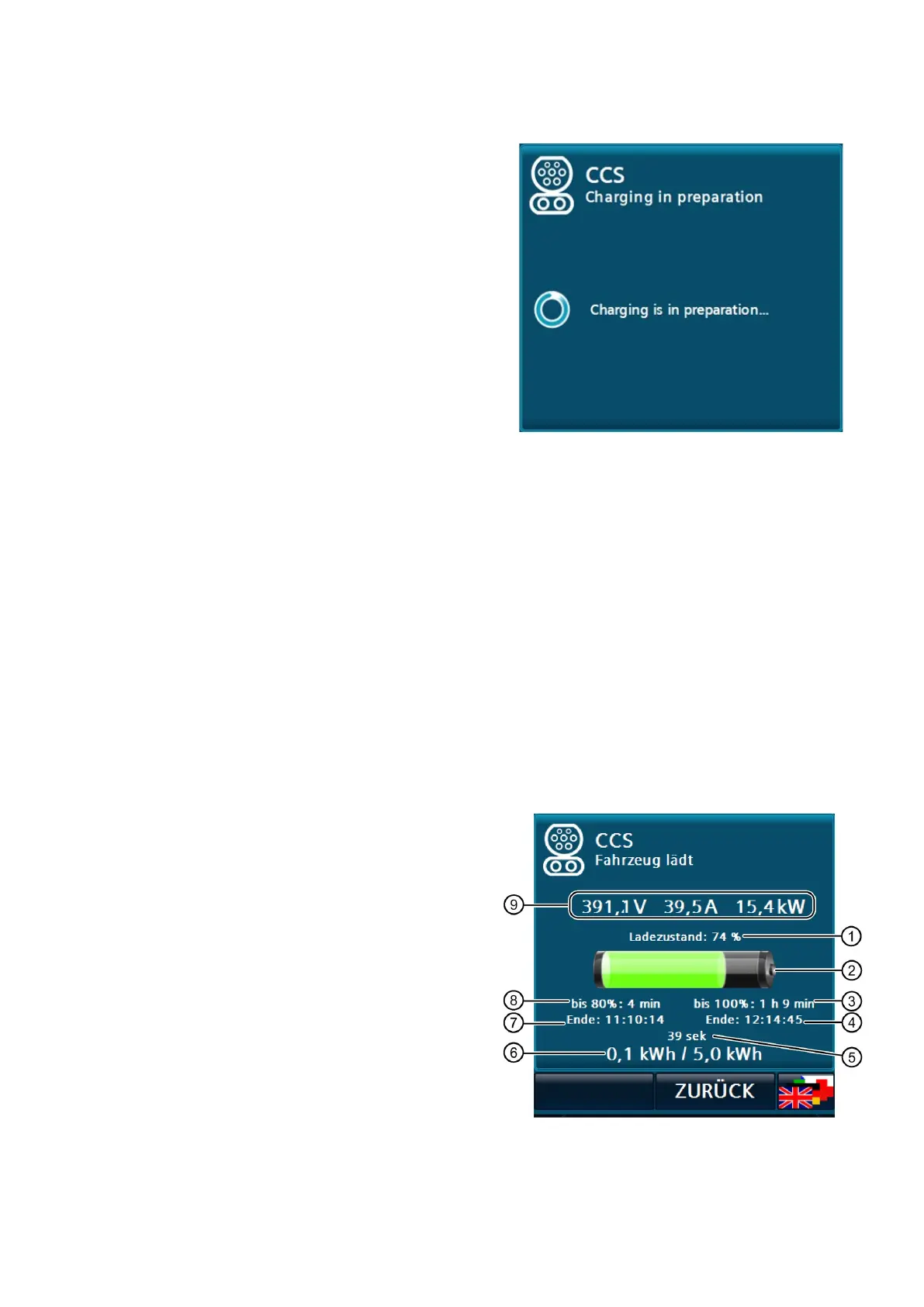
6.8.3 Prepare
A wait symbol is displayed during DC charging for
the duration until the energy transfer (including
cable check).
6.8.4 Charging in progress
After starting a charging process, there is an automatic switch to the main menu or to the screen saver
(screensaver mode). Tapping the screen or reading an RFID card again automatically switches to the charging
process(es) in progress.
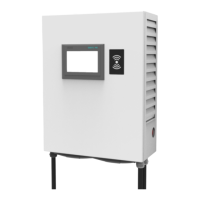
For each charging process in progress, the following data is displayed, depending on availability:
• The state of charge of the vehicle battery (SOC) in percent
• The current voltage, current and/or power values
• The charged energy (in kWh)
• In certain configurations, the maximum released energy (in kWh)
• Charge time/~end time up to 80 % SOC and charge time/~end time up to 100 % SOC.
• The current duration of the charging process
The information reported by the vehicle itself (e.g.
SOC or charging time) is displayed according to
availability.
Charging status graphically
Time until 100 % charge level reached
Current charging time (39 sec)
Charged energy [/ max. available energy
by operator]
Time until 80 % charge level reached
Actual values: voltage, current and power values
Fig 15: DC charging process "Vehicle charging
Fig 14: Example of the waiting time when starting
DC charging


 To Next Page