KDS-SW2-EN7 – Mounting KDS-SW2-EN7
Mounting KDS-SW2-EN7
This section provides instructions for mounting KDS-SW2-EN7. Before installing, verify that
the environment is within the recommended range:
• Operation temperature – 0 to 40C (32 to 104F).
• Storage temperature – -40 to +70C (-40 to +158F).
• Humidity – 10% to 90%, RHL non-condensing.
Caution:
• Mount KDS-SW2-EN7 before connecting any cables or power.
Warning:
• Ensure that the environment (e.g., maximum ambient temperature & air flow) is
compatible for the device.
• Avoid uneven mechanical loading.
• Appropriate consideration of equipment nameplate ratings should be used for avoiding
overloading of the circuits.
• Reliable earthing of rack-mounted equipment should be maintained.
• Maximum mounting height for the device is 2 meters.
Mount KDS-SW2-EN7 in a rack:
• Use the recommended rack adapter
(see www.kramerav.com/product/KDS-SW2-EN7).
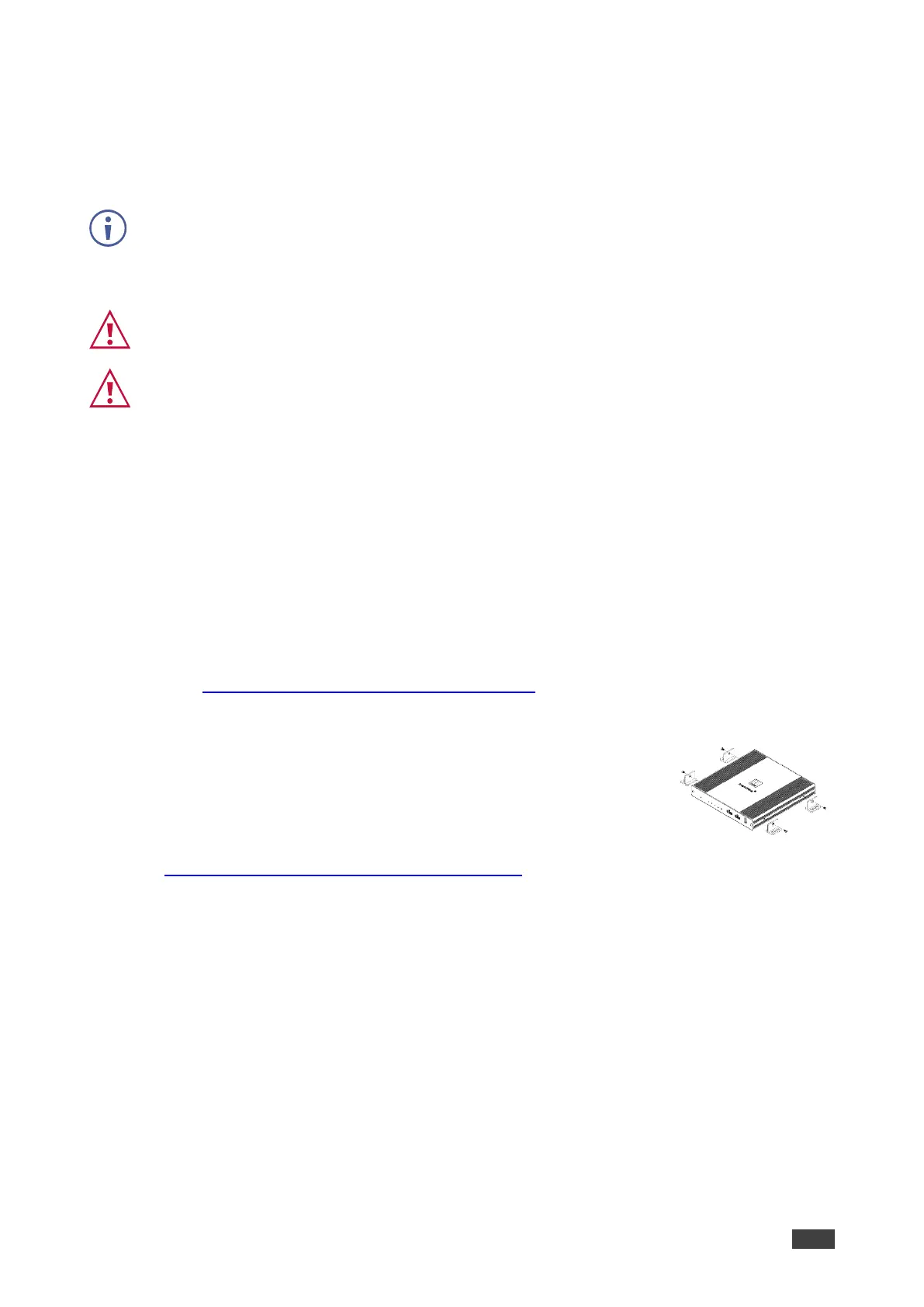
Mount KDS-SW2-EN7 on a surface using one of the following
methods:
• Attach the rubber feet and place the unit on a flat surface.
• Fasten 2 brackets (included) on each side of the unit and attach it
to a flat surface. For more information go to
www.kramerav.com/downloads/KDS-SW2-EN7.



 To Next Page