3. Click confirm (If no password was established before then leave password field blank).
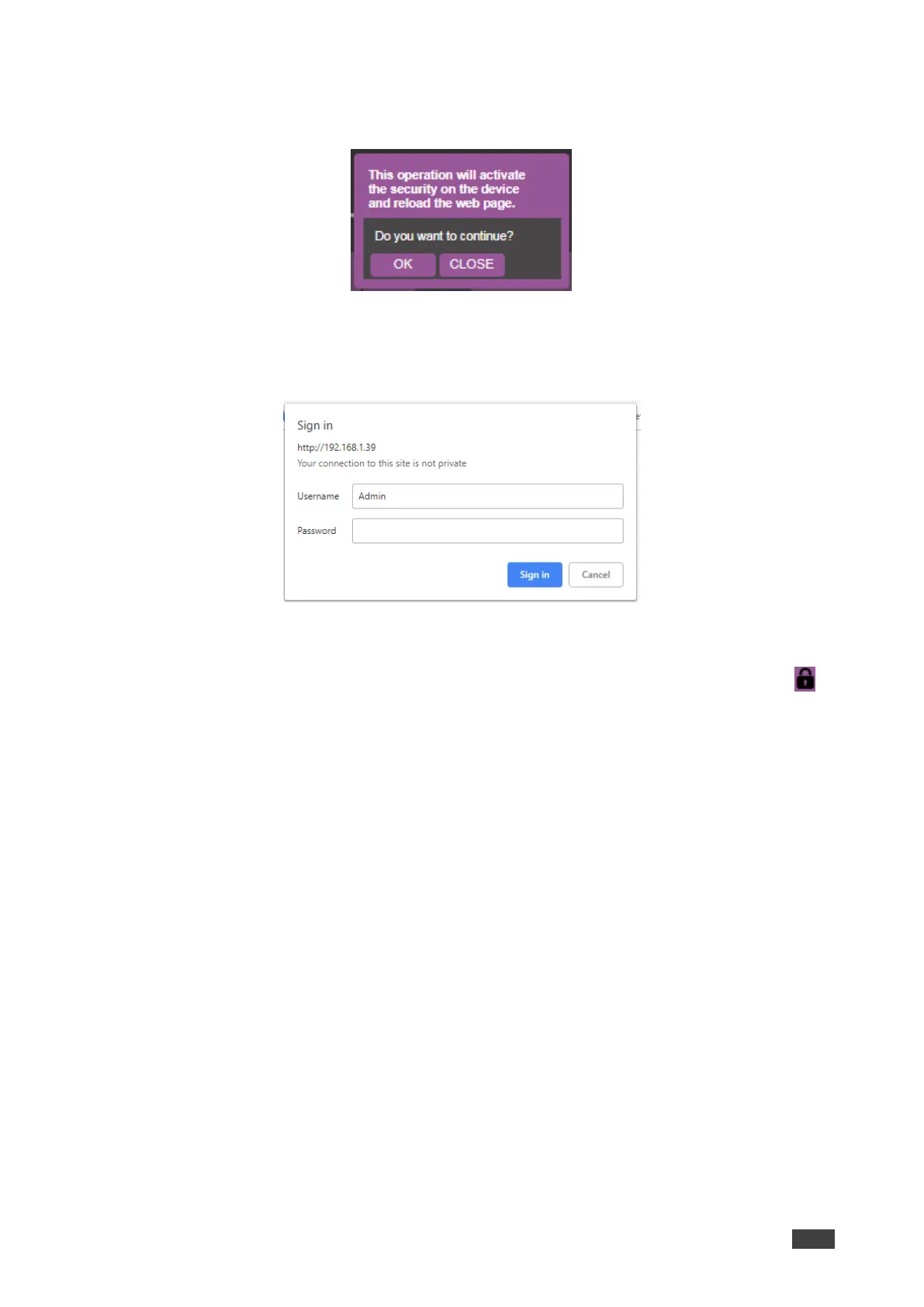
A confirmation dialog appears:
Figure 33: Password Settings Page – Security Activation Message
4. Click OK.
The connection is interrupted, and authentication is required to access web pages.
Figure 34: Password Settings Page – Security Log In
5. Type a Username (Admin, by default) and Password and click Sign In.
The web page reloads and the lock icon in the upper right of the screen changes to .



 To Next Page