Setting up Free Access No Password
To set free access to the embedded web pages (without requiring a password):
1. In the Navigation pane, click Authentication.
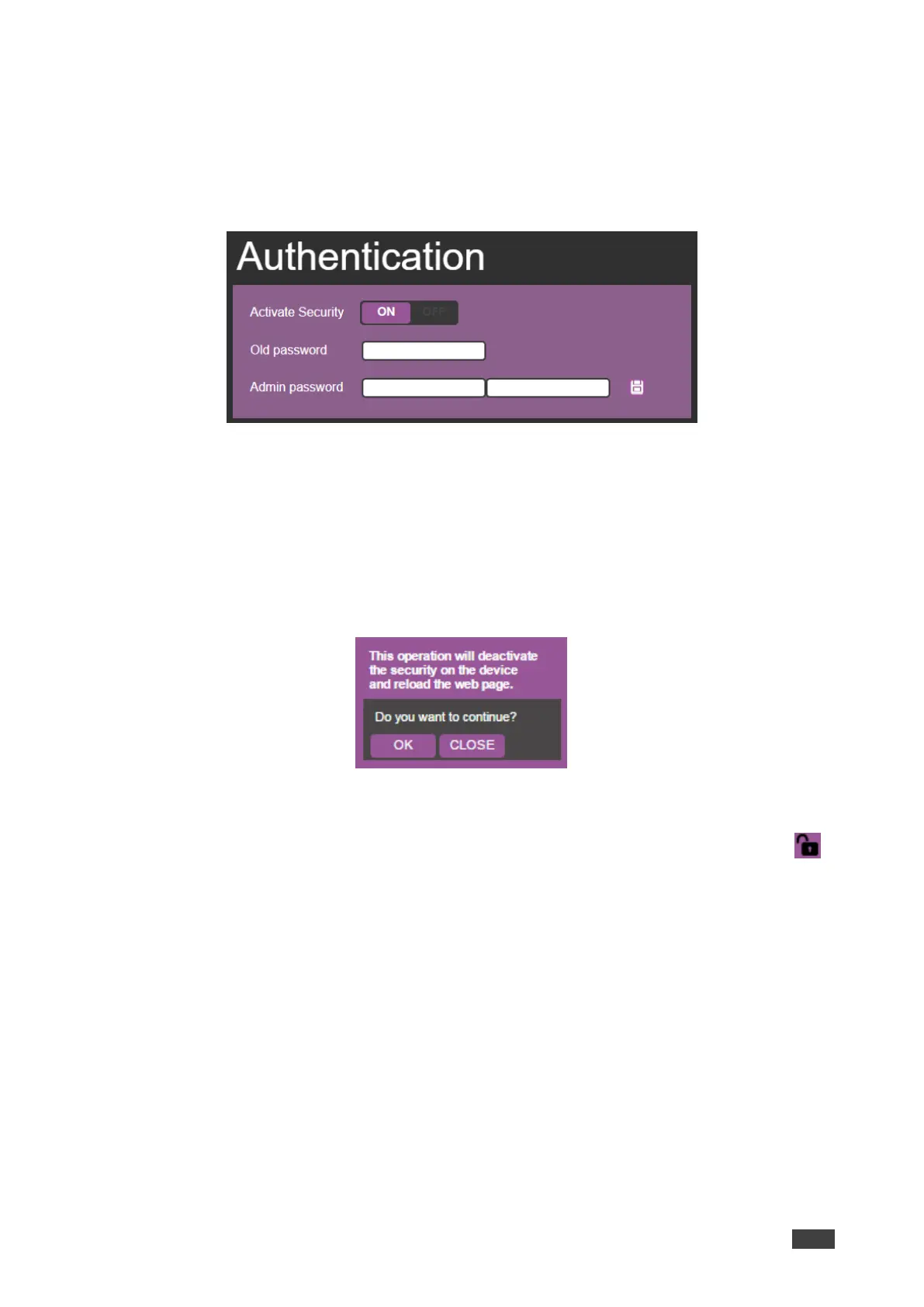
The Authentication page appears:
Figure 37: Password Settings Page – Password Protected
2. Set Activate Security to OFF.
Enter Password dialog appears.
3. Enter the password and click confirm.
The following dialog appears:
Figure 38: Password Settings Page – Deactivating the Security
4. Click OK.
The web page reloads and the lock icon in the upper right of the screen changes to .



 To Next Page