OBD & Battery Analysis Scanner
- 37 -
View Freeze Frame Data
Mode $02 Request Powertrain Freeze Frame Data
View the vehicle’s operating
conditions when a DTC is stored.
This section contains advanced
functions. Some data may need to be
interpreted by a qualified technician.
Note: Not all vehicles return the
same data, results may vary from
the examples given herein.
1.
From Diagnostic Menu, use theUp/
Down button to select View Freeze
3.
Select a PID, then press OK
to view the full name.
Figure 103
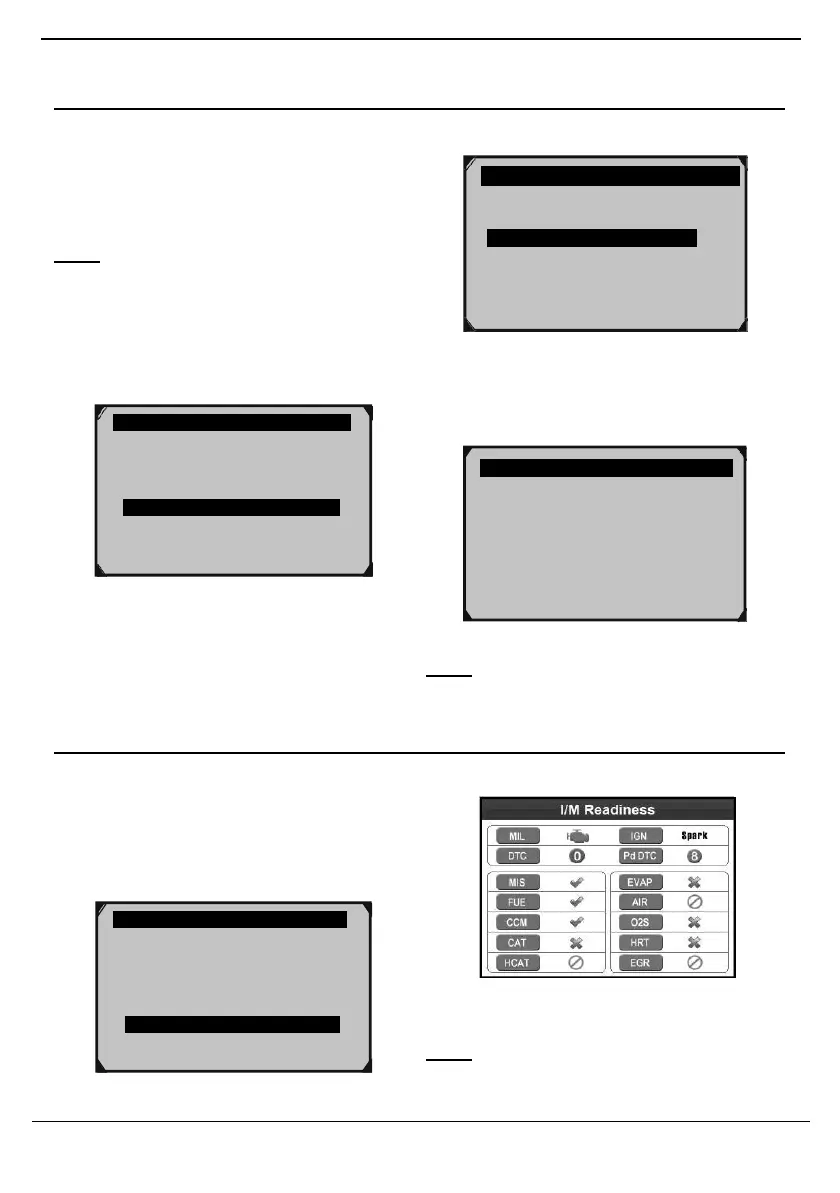
I/M Readiness
Check emissions readiness prior to having a
vehicle inspected for a state Emissions Test.
1.
From Diagnostic Menu, use the Up/
Down button to select
I/M Readiness,
then press OK.
Figure 105
Note: If necessary, have a qualified
technician Interpret the data.
2.
View test results.
Figure 107
Note: See “I/M Readiness Quick- Check”
on page 26 to interpret data.
Read Codes
Erase Codes
Live Data ?
View Freeze Frame
I/M Readiness
02 Monitor Test
On-Board Mon. Test
FUELSYS2
LOAD_PCT (%)
ECT(
°
F)
SHRTFT1 (%)
FUELSYS1
Fuel System 1 Status
Diagnostic Menu 5/11
Read Codes
Erase Codes
Live Data ?
View Freeze Frame
I/M Readiness
02 Monitor Test
On-Board Mon. Test



 To Next Page