OBD & Battery Analysis Scanner
- 4 -
Operating Instructions
Read the ENTIRE IMPORTANT SAFETY INFORMATION section at the
beginning of this document including all text under subheadings therein
before set up or use of this product.
TO PREVENT SERIOUS INJURY AND DEATH:
Exhaust gases are poisonous. Operate the vehicle in a well ventilated work area.
Wear ANSI-approved safety goggles during use.
Connect Scan Tool
CAUTION: Do not connect or
disconnect the Scan Tool while the
ignition
is on or the engine is running.
Note: The Scan Tool is powered by the
vehicle’s battery.
1.
Turn the engine and ignition OFF.
2.
Connect the OBD II Cable to the
Scan Tool.
3.
Connect the other end of the
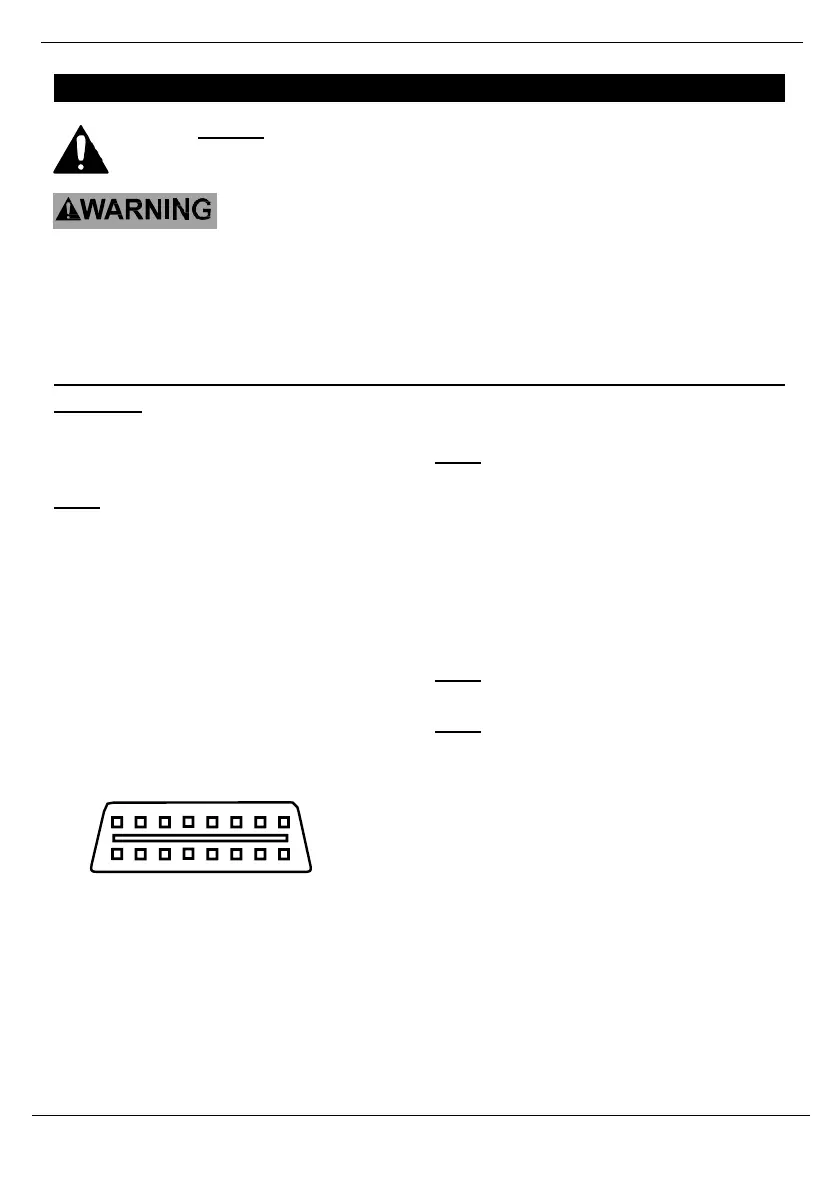
Cable to the 16-cavity DLC.
The DLC is normally located under
the dashboard on the driver’s side.
(Refer to vehicle’s owner’s manual
for location of DLC.)
Figure 2: DLC
4.
Turn the vehicle’s ignition ON with the
engine OFF.
Note: If Linking Error! message displays:
•
Press the ESC button
•
Verify the ignition is ON
•
Verify the vehicle is OBD
II compliant
5.
If the message does not go away,
have the Scan Tool inspected by a
qualified technician.
Note: To quick-check Emissions Test
Readiness, see page 26.
Note: To read Diagnostic Trouble Codes,
see page 27.



 To Next Page