OBD & Battery Analysis Scanner
6
Battery Test can determine battery
status, including voltage, CCA, electronic
resistance, rated CCA, charge value,
health and test results. According to the
battery label, input AH value - battery
rated capacity to start test.
1.
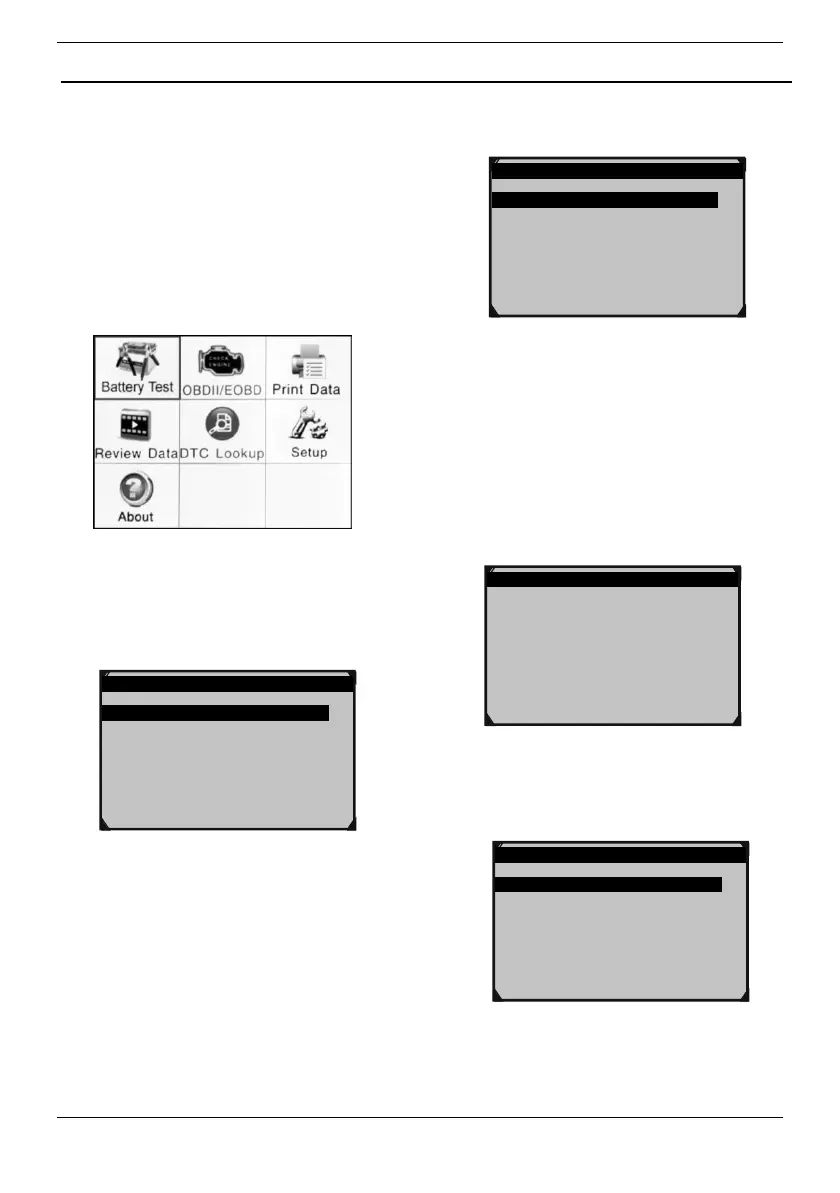
From main menu, use the
Up/Down/Left/Right button to select
Battery Test, then press OK.
Figure4
2.
From main menu, use the
Up/Down button to select Battery
Test, then press OK.
Main Menu 1/4
1.Battery Test
2.Quick Test Ah
3.Review Data
4.Print Data
3.
Use Up/Down button to select
Battery Test, then press OK.
Battery Test 1/3
1.Battery Test
2.Cranking Test
3.Charging Test
Figure6
4.
The screen automatically displays
the following information, follow the
prompts:
1) If battery just completes charging,
please turn on vehicle headlights;
2) Keep the headlights on for 30
seconds.
3) Turn off the headlights.
4) Press OK to start testing.
Battery Test
1.Check surface charge, turn light on.
2.Take headlight on about 30 seconds.
3.Turn light off.
4.Press OK to start.
Figure7
5.
Use Up/Down button to select
Battery Type, then press OK.
Battery Test Select 1/5
1.Regular Flooded
2.AGM Flat Plate
3.AGM Spiral
4.GEL
5.EFB



 To Next Page