LaCie Internet Space • DESIGN BY NEIL POULTON Sharing Your Content & Managing Files
User Manual page 22
Creating Folders4.3.1.
Available in: FamilyLibrary, MyLibrary and
MyBackup
To create a new folder in any location:
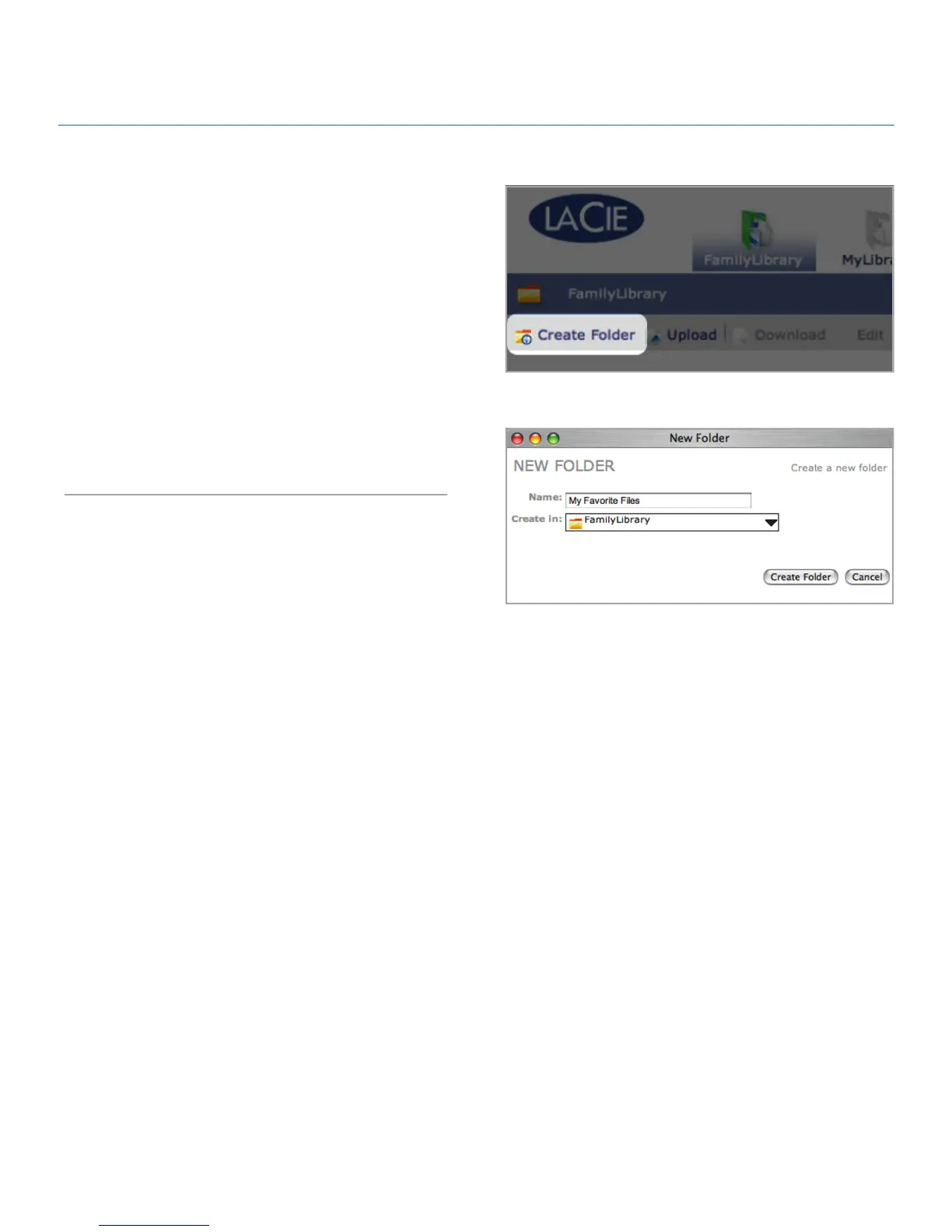
Click the
1. Create Folder button (Fig. 4.3.1-A). The New
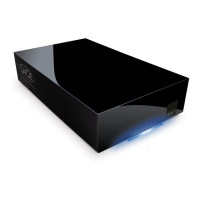
Folder window opens (Fig. 4.3.1-B).
Enter a name for your new folder in the “Name” field.
2.
Choose a location for your new folder from the “Create in” 3.
menu. Double-click on a folder in the Create in menu to see
its sub-folders.
Click
4. Create Folder. The new folder appears in the location
you selected.
Figure 4.3.1-A
Figure 4.3.1-B



 To Next Page