LaCie Internet Space • DESIGN BY NEIL POULTON MyContacts
User Manual page 35
Sending Email to Contacts5.5.
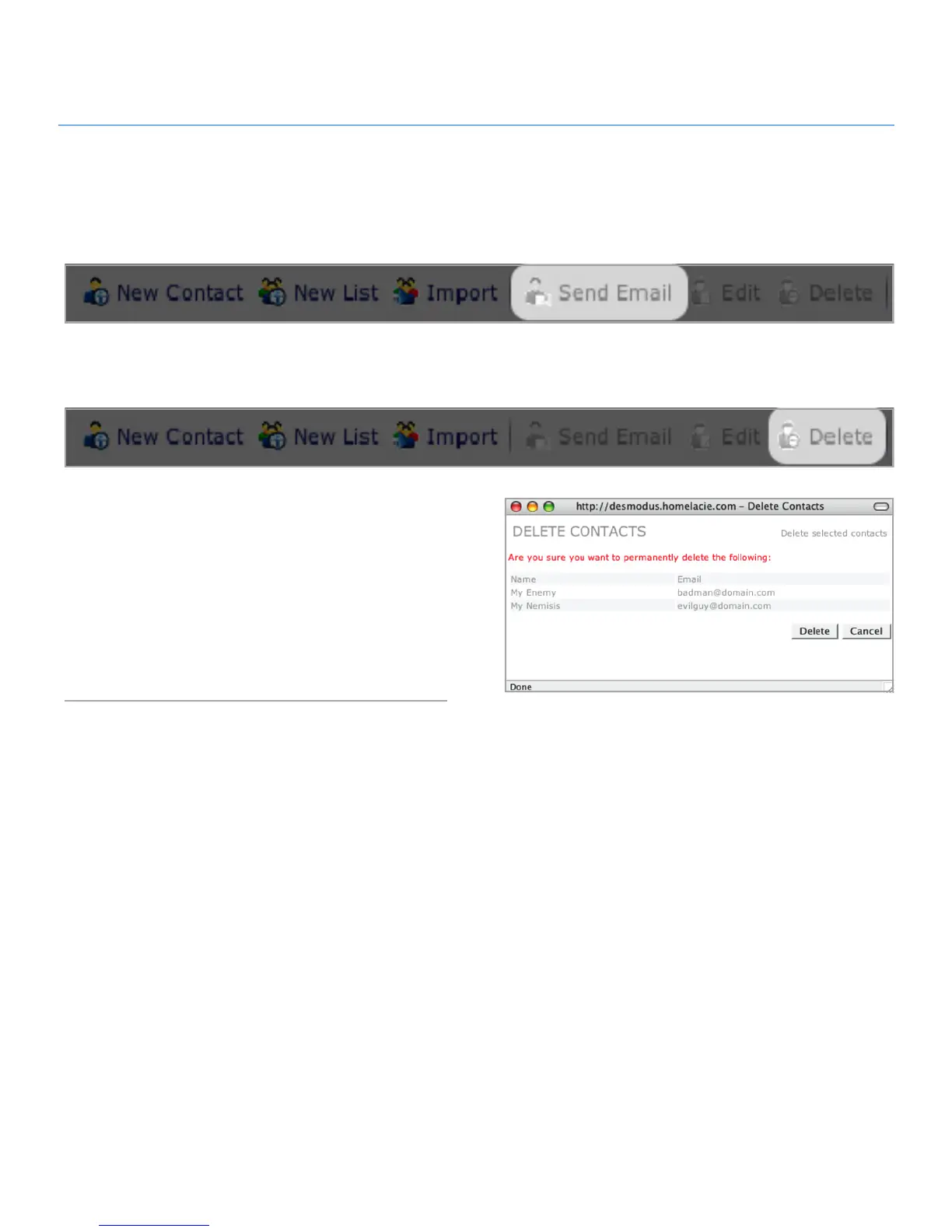
To send an email to your contacts, select contact from the con-
tacts list and click the Send Email button. Your default email
application will open with the selected contacts in the To: line.
Deleting Contacts5.6.
To delete contacts:
Select the contacts you want to delete from the list using the
check boxes.
Click Delete in the action bar. The Delete Contacts window
opens (Fig. 5.6).
Make sure you want to delete all listed contacts and click De-
lete.
Figure 5.6



 To Next Page