LaCie Internet Space • DESIGN BY NEIL POULTON Sharing Your Content & Managing Files
User Manual page 28
Zip Files4.3.7.
Available in: FamilyLibrary, MyLibrary and MyBackup
The Zip action is useful when you want to download a large
number of files, or an entire folder, that would normally take a
long time to download. Zipping compresses the files and puts
them in a single .zip archive file which you can download more
quickly than many separate files. Files and entire folders can be
zipped.
To zip files:
Open the folder containing the files or folders you want to
1.
zip.
Select files and folders to move by marking the box by the
2.
filename in the File List.
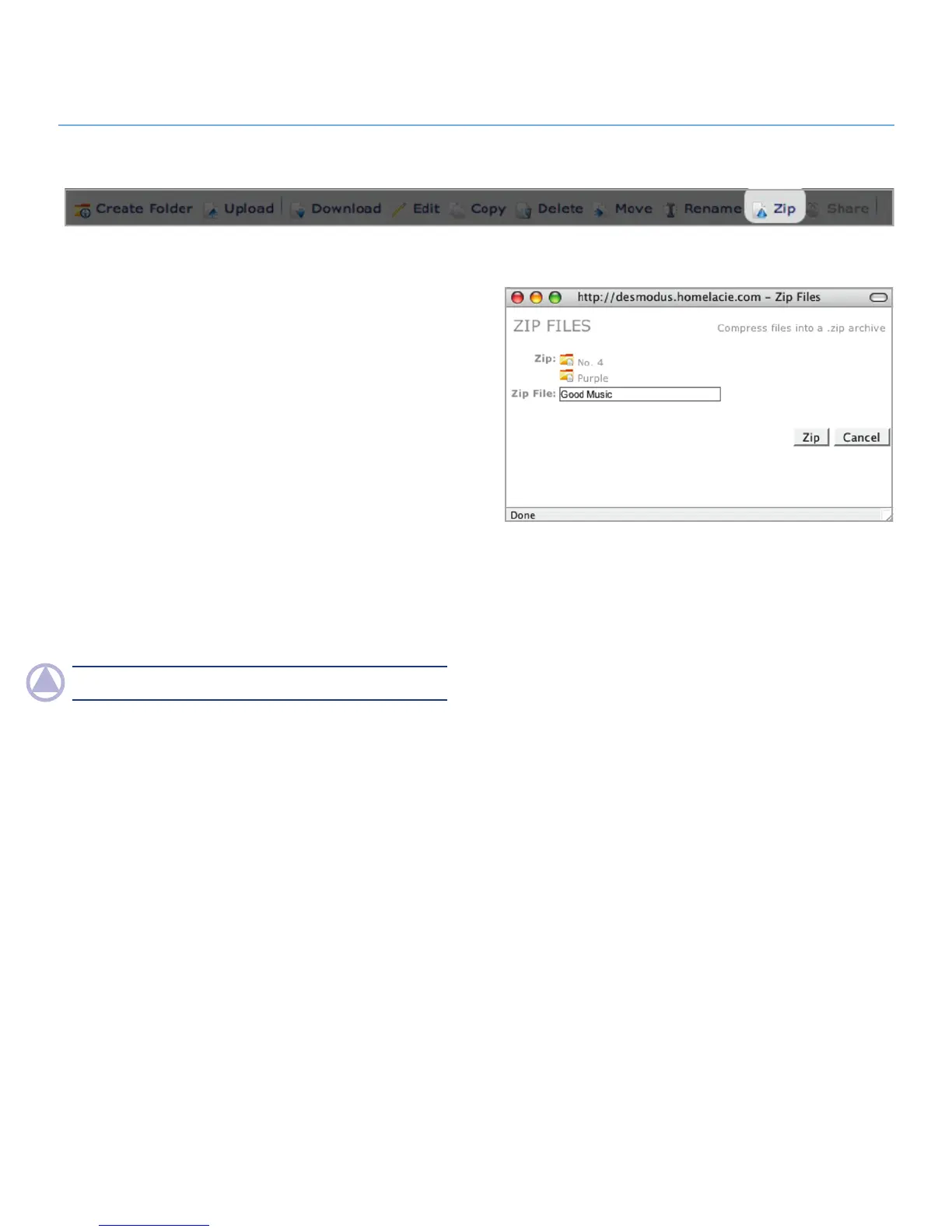
Click the
3. Zip button in the action bar. The Zip window opens
(Fig. 4.3.7).
Make sure you want to zip all of the listed files an folders and
4.
click the Zip button.
NOTe: Large files may take several minutes to zip.
Figure 4.3.7



 To Next Page