LaCie Internet Space • DESIGN BY NEIL POULTON Administration
User Manual page 48
9. Administration
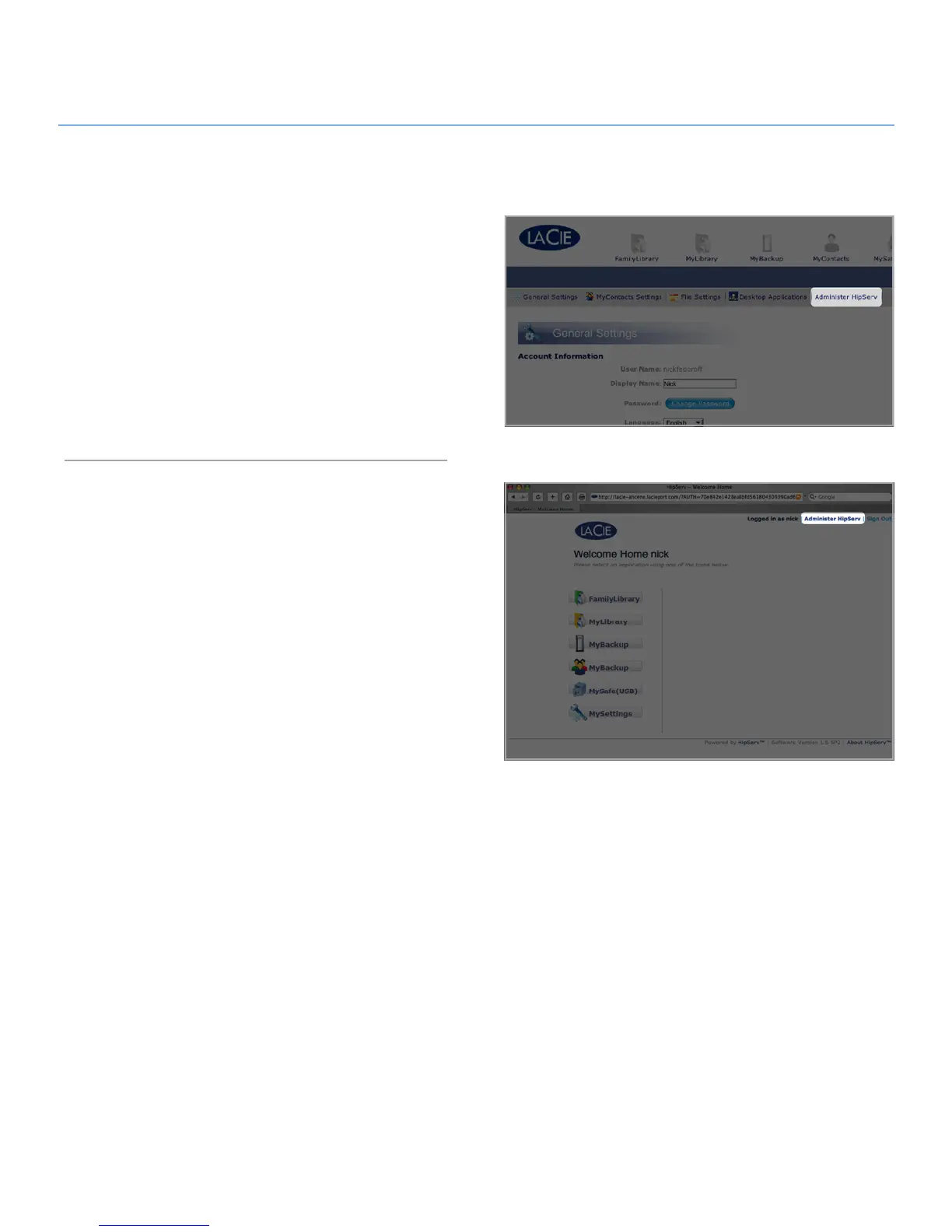
Administrators can access the Ethernet disk administration pages
by clicking the Administer HipServ™ button in MySettings (Fig.
9-A) or the Administer HipServ™ link on the Welcome Home
page (Fig. 9-B).
From the administration pages you can add, delete and modify
user accounts, change network settings, view the status of the
device and make system-wide changes like time and date, up-
date the software or shut down the device.
To leave administration and continue working with your files, just
click the LaCie logo in the upper left corner at any time.
Figure 9-A
Figure 9-B







 To Next Page