LaCie Internet Space • DESIGN BY NEIL POULTON Introduction
User Manual page 9
Views of the Ethernet disk1.4.
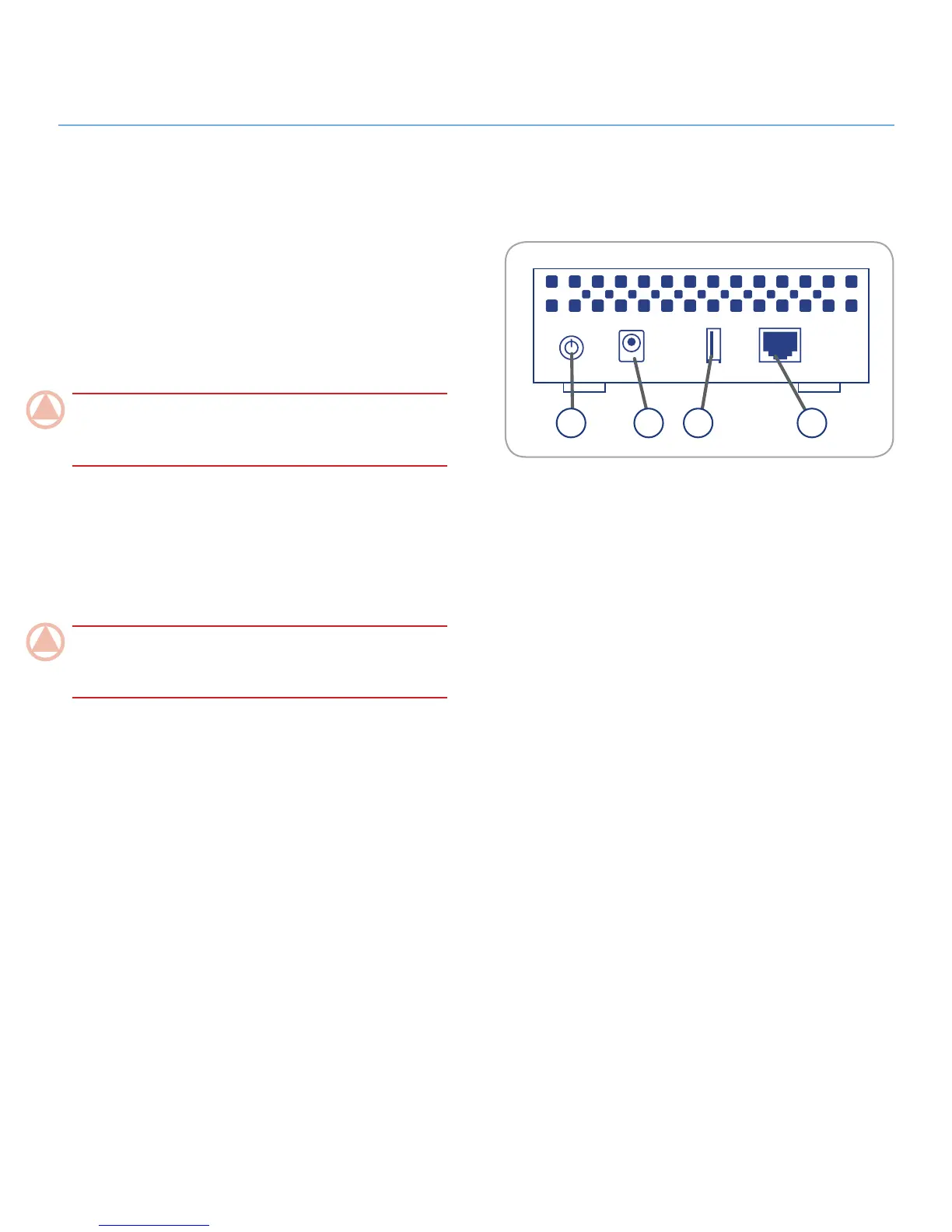
Rear View
The USB expansion port on the rear of the Ethernet disk is used
to connect another external USB hard drive or USB key. Using
the MySafe(USB) feature in the web portal, you can to back up
shares on your Ethernet disk to the external disk. This pro-
cess will protect your precious files from loss. See sections 9.4.2.
Managing MySafe USB External Hard Drive and 7. Sync & Back
Up Files for more information.
ImpOrTANT INfO: Do not connect the Ethernet disk directly
to your computer via the USB port. The USB port is intended
only for connection of other USB storage devices.
Power button
1.
Power input connection2.
USB Expansion port3.
Ethernet port4.
ImpOrTANT INfO: It is recommended not to stack more
than two LaCie disks together. When stacking two disks, envi-
ronment temperature should not exceed 30°C (86°F).
1 32 4














 To Next Page