LaCie Internet Space • DESIGN BY NEIL POULTON Sync & Backup Files
User Manual page 44
Disconnecting your MySafe (USB) 7.2.4.
External Hard Drive
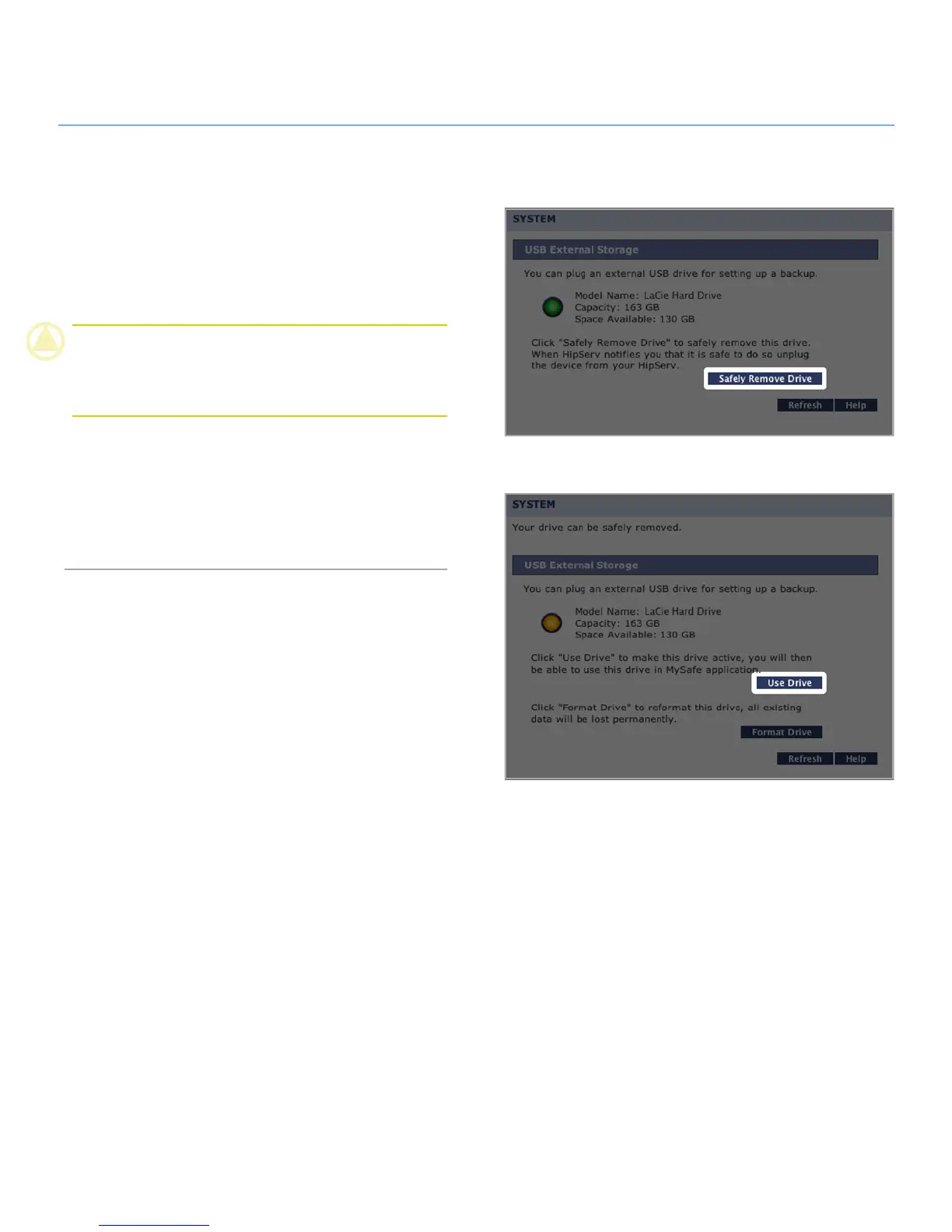
Always click the Safely Remove Drive button (Fig. 7.2.4-A) on
the USB External Storage before unplugging your MySafe exter-
nal hard drive. Wait for the interface to change and for the Use
Drive button (Fig. 7.2.4-B) to appear before disconnecting the
USB cable from the Ethernet disk.
CAUTION: Failure to safely remove your external hard drive
before disconnecting the USB cable can cause data loss and/or
damage the drive. Always use the Safely Remove Drive feature
when disconnecting an external hard drive.
Reconnecting your external hard drive:
The Ethernet disk knows when your external hard drive is con-
nected, even if you’ve clicked the Safely Remove Drive button.
To make the drive available for use again, just click the Use
Drive button.
Figure 7.2.4-B
Figure 7.2.4-A














 To Next Page