Service Manual JET3
104 Rev. 1.0
6. In some cases, there will still remain some rest of ink into the slot from the charge
electrode. This could create some error messages, e.g. phasing error or error of
drop
control.
To remove this rest of ink you can use a fine sand paper. With assistance of
this
fine sand paper it is possible to clean the slot of the charge electrode.
Attention: Use only sand paper with a corn diameter of 400 and higher
7. Bend this thin sand paper with the rough side outside. Spray some special cleaner
on the sand paper and move it inside the slot of the charge electrode. Carry out the
movement parallel to the bottom side of the charge electrode. Rinse off the charge
electrode with tap water and solvent to avoid remaining of special cleaner at the
charge electrode. Dry up all the print head parts with an airgun.
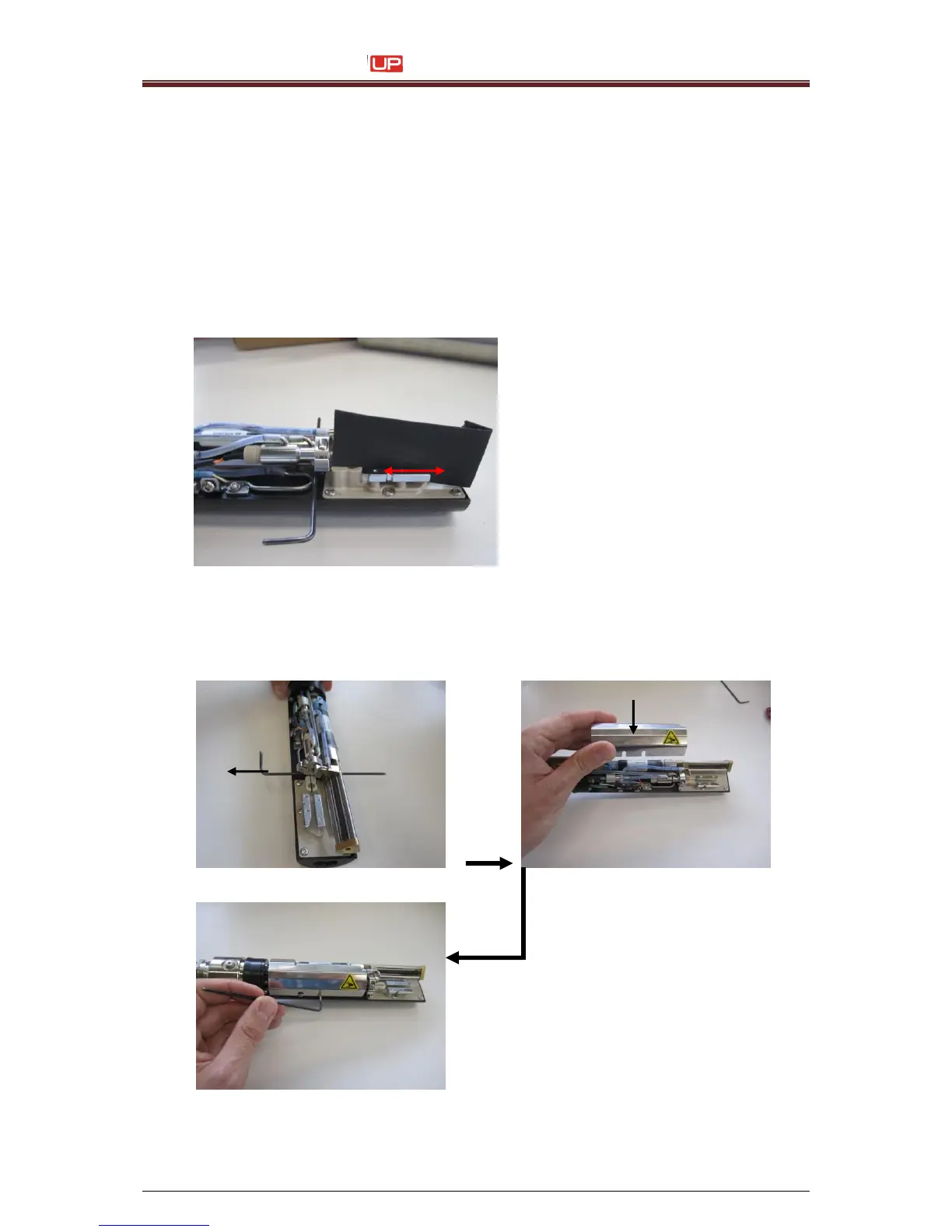
8. Pull the allen key carefully out of the bearing block again. The bearing block is located
in the home position again
9. Install the inner cover and tighten it. Don’t smash or brake any cables and pipes
during this
action.



 To Next Page