Service Manual JET3
182 Rev. 1.0
6) Exchange the controller board
Backup:
Before changing the controller board, make a backup copy of all the relevant
settings from the machine. The new controller board is programmed with default
settings from Leibinger. These settings could be different from your original
JET3up printer.
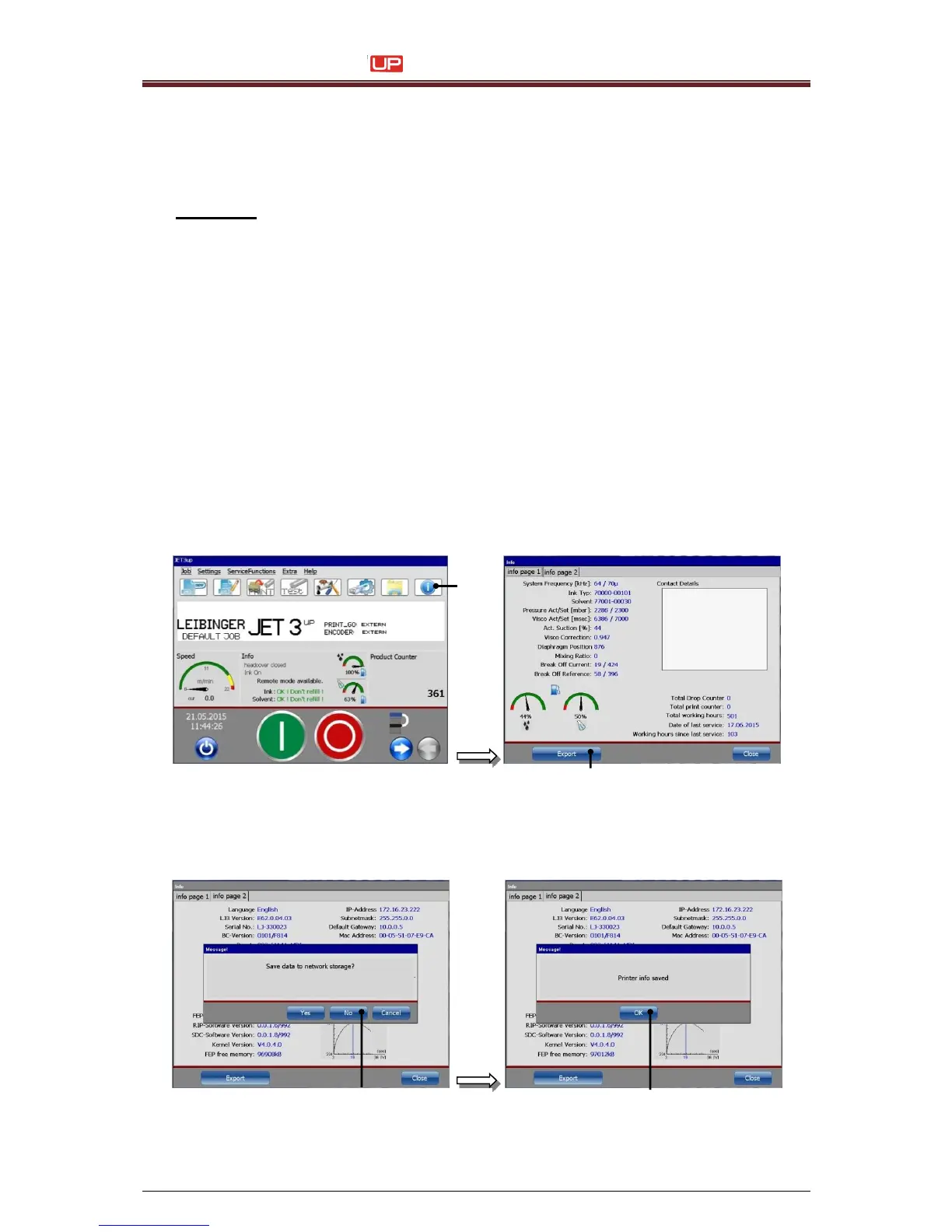
Info window
Jobs
Grafics
Fonts
1. Switch on JET3up
2. Plug in the USB - Stick
3. Press the <Info> button (1) to open the info window and press the
<Export> button (2).
4. Push the button <No> (1) to save the data on the USB stick.
Quit the next message with the button <Ok> (2).



 To Next Page