Service Manual JET3
Rev. 1.0 209
7) Adjust the service interval
After the main board is exchanged it is necessary to enter the deleted values
for the “Service Interval”!
In order to reset the counter for the service interval you must activate a “Service TAG”.
Each new controller is delivered together with a
“Service TAG”.
Procedure:
1. Hold the “Service TAG” in front of the TAG reader.
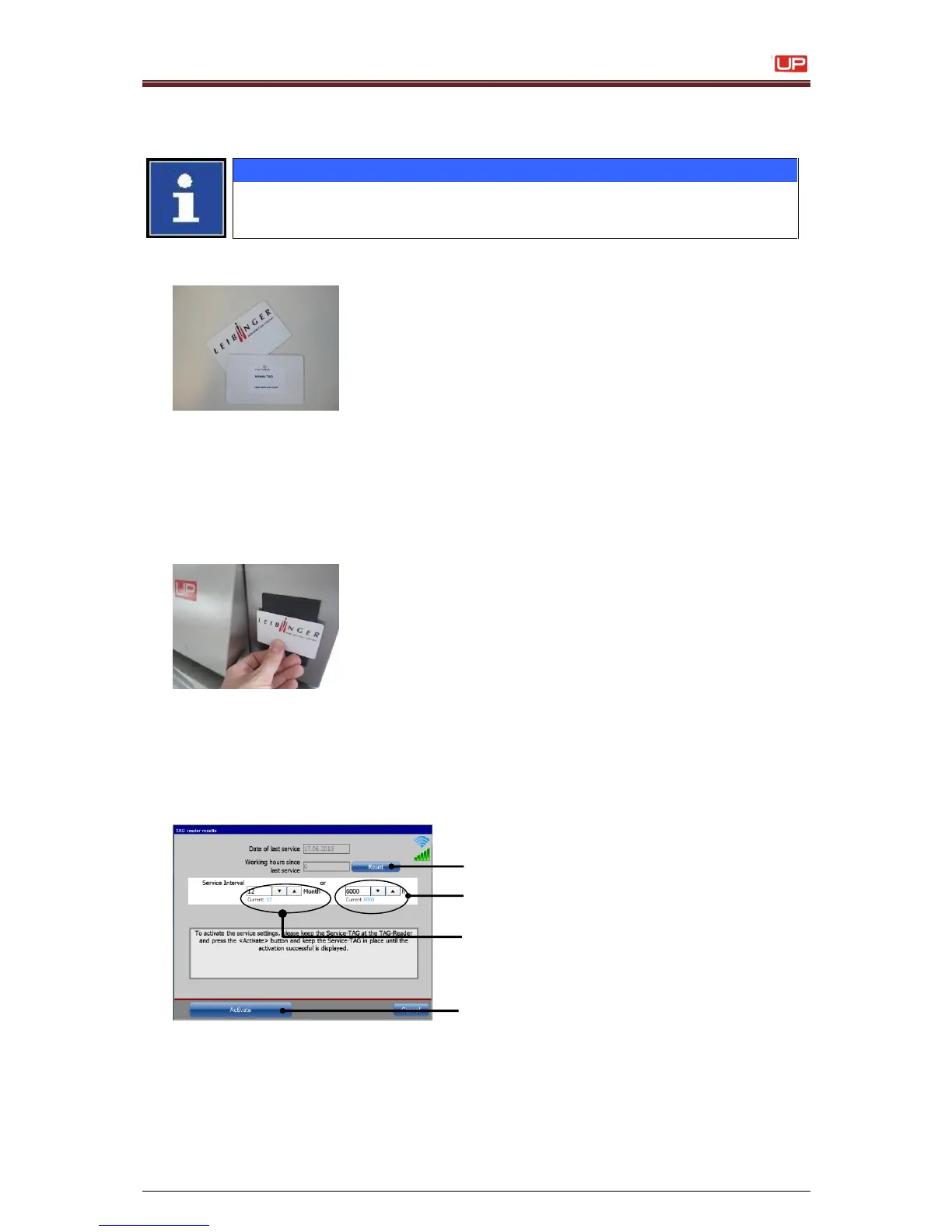
The dialog box <TAG Reader Results> pops up.
Open the service interval dialog box with the
TAG
2. Enter the data for the next service interval. The interval is set in months (3) and
operating hours (2). Service will be due after the period or operating hours set,
whichever occurs first.
3. Reset the <Working hours since last service> with the button <Reset> (1).
4. After setting the desired values confirm with the button <Activate> (4).



 To Next Page