Preparation Before Surgery
18
Leica HM500/Ref. 10 715 697/Version B
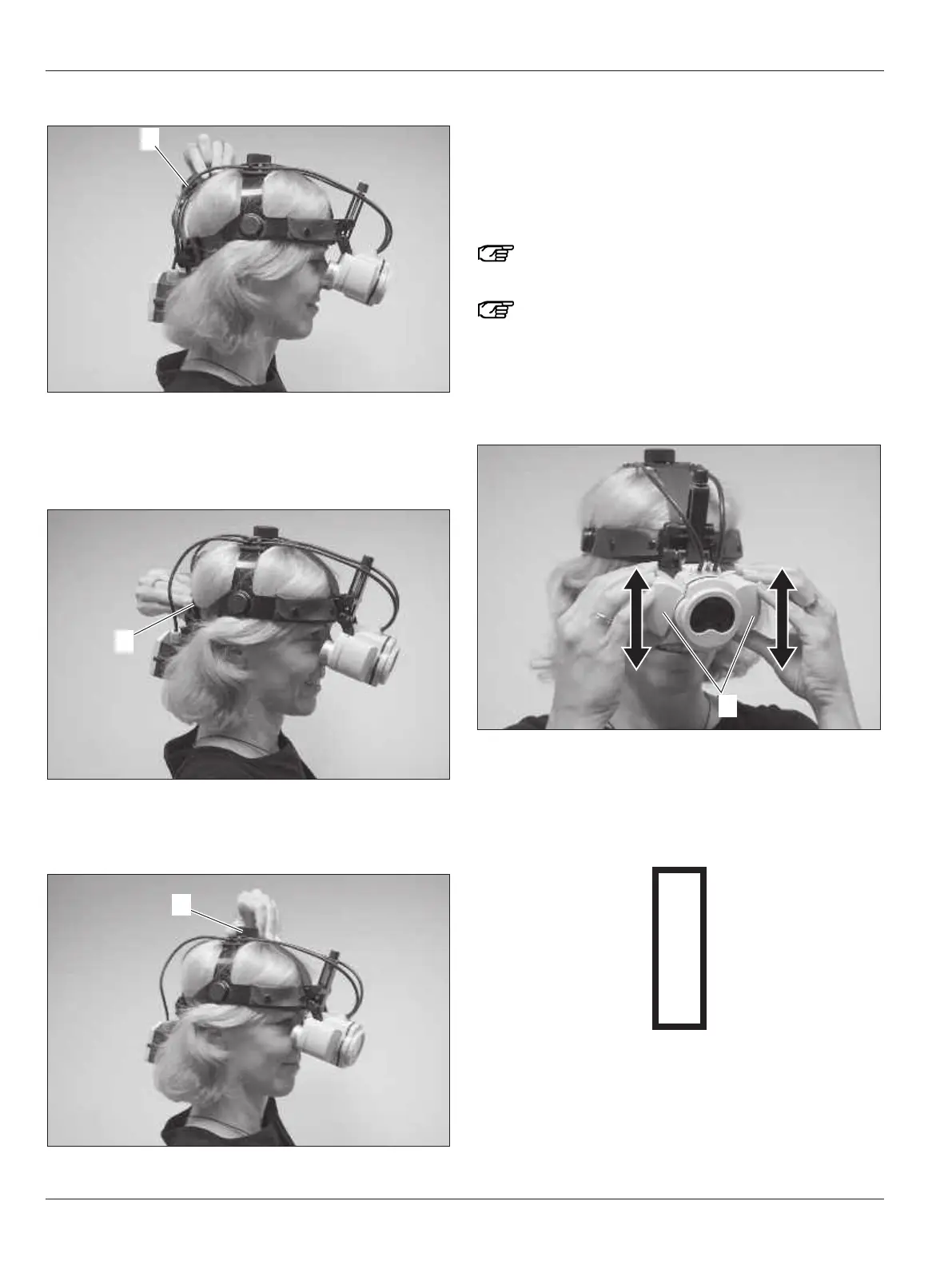
Adjusting the length of the headband
➩Loosen the middle knob (13) on the back.
➩Adjust the length of the headband.
➩Fasten the knob (13) again.
Adjusting the side strap
➩Turn the knob (19) until the side strap fits snugly.
The headset must sit comfortably on the head without slipping.
Adjusting the top strap
➩Turn the knob (14) until the top strap fits snugly.
Adjusting the interpupillary distance
The interpupillary distance (distance between the centers of
the pupils of the right and left eyes) is adjusted by slightly mov-
i
ng the two outer tubes. A scale is provided on the back of the
microscope to help you find the interpupillary distance more
easily. Do not apply excessive force to the instrument and use
both hands to make the basic setting.
Hold the tubes by the black rings when making adjust-
ments.
Make this adjustment carefully as you will not get the
best image unless the setting corresponds to your
particular interpupillary distance.
➩View an object within the working distance and with both
hands slightly swivel the two outer tubes (20) until you have
a perfect image.
Help in adjusting the interpupillary distance:
➩Set to manual focus.
➩Choose the maximum magnification and keep to the same
working distance (e. g. 600 mm).
➩Close your left eye and look at the image below.
➩Open your left eye and look at the image with your right eye.
If the image remains crystal clear and does not move when you
change eyes, this indicates the interpupillary distance has been
set optimally.


 To Next Page