3.Useanydocumentationthatcomeswiththehot-swapharddiskdriveandfollowthoseinstructionsin
additiontotheinstructionsinthistopic.
Toinstallorreplaceahot-swapharddiskdrive,dothefollowing:
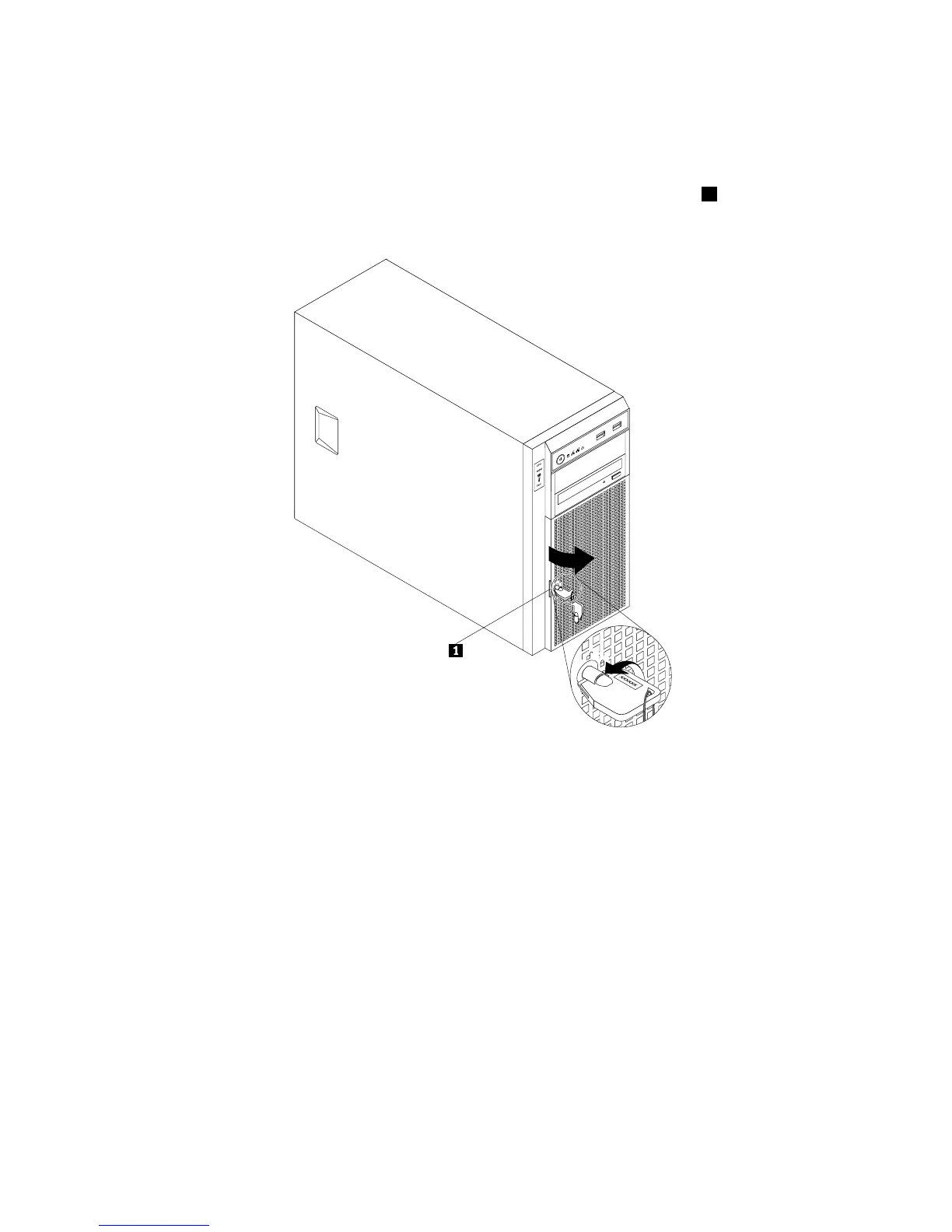
1.Usethefrontdoorkeytounlockthefrontdoorandthenusethefrontdoorhandle1topivotthe
frontdoortotheopenposition.
Figure66.Openingthefrontdooroftheserver
2.Locatetheappropriateharddiskdrivebay.See“Servercomponents”onpage25.
128ThinkServerTS430UserGuide








 To Next Page